 HomeBiz
 ACTUAL PRODUCT PREVIEW
Etsy Seller Profit Tracker
See what every Etsy order really leaves you after fees.
Secure purchase through Etsy. Check the listing for current availability, included files and purchase instructions.
Take a closer look ↓What can Etsy Seller Profit Tracker help you do?
This Etsy Seller Profit Tracker is a ready-to-use spreadsheet for Google Sheets and Excel. Add your products once with their price and what they cost you to make and pack. Log every order: listing, transaction, payment processing and Offsite Ads fees are worked out with the rates on Setup, so you can change them for your country. Each order shows revenue, Etsy fees, product cost, shipping label and real profit. Products shows profit and margin per item and your best sellers, Expenses keeps supplies, Etsy Ads and software, and the Monthly P&L shows every month of the year with net profit and margin. Type in the yellow cells; everything else is calculated for you.
Who is it for?
Designed for Etsy sellers reviewing order profitability. Use the preview to check whether the screens and level of detail fit the way you prefer to work.
What's inside.
- Start Here: quick setup guide
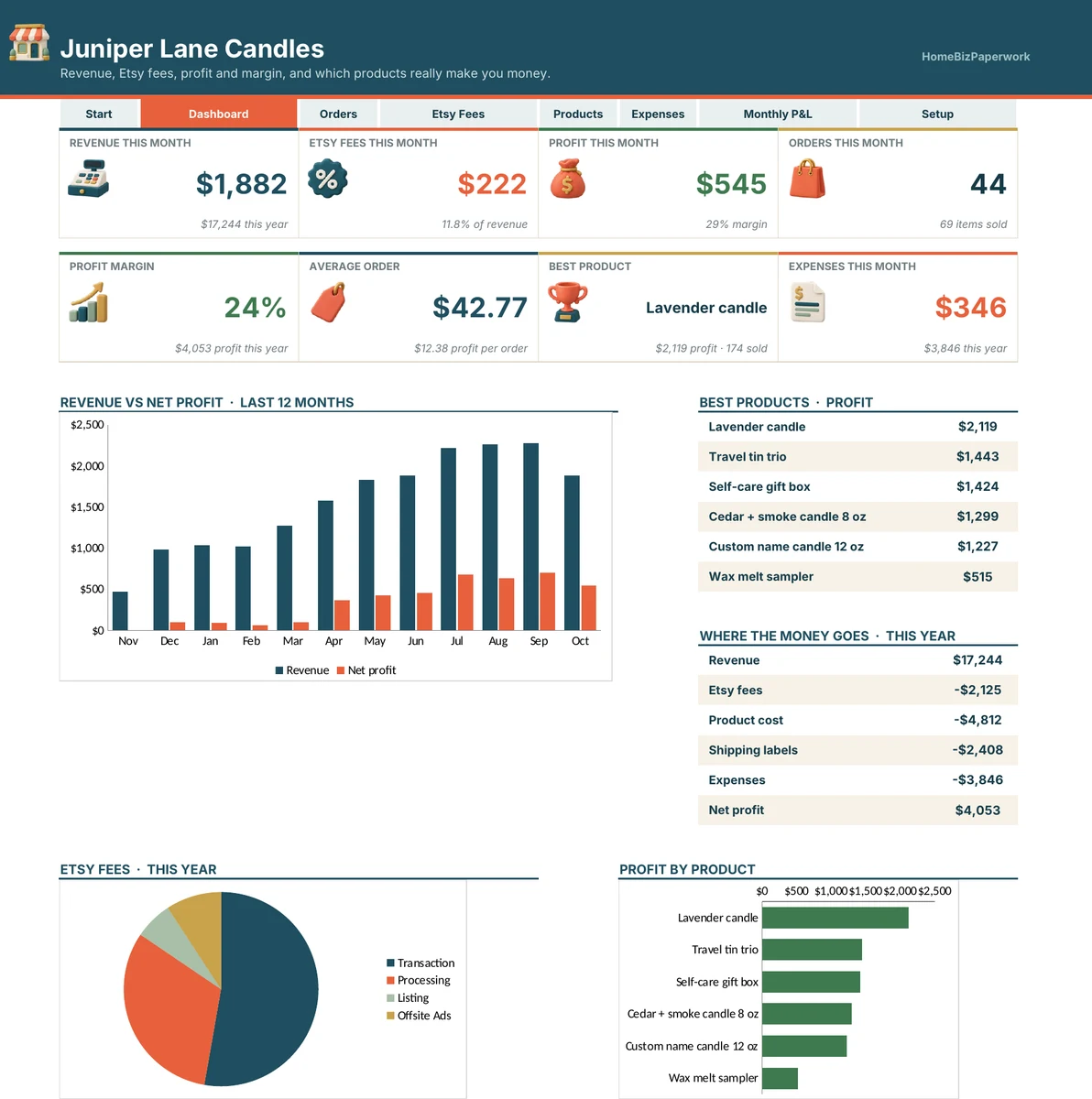
- Dashboard: revenue, Etsy fees, profit and orders this month, profit margin, average order, best product, expenses, revenue vs profit chart, fees breakdown and profit by product
- Orders: order lines with product, qty, shipping, discount, sales tax, label cost, Offsite Ads and refunds, plus revenue, Etsy fees, product cost and profit
- Etsy Fees: listing, transaction, processing and Offsite Ads fees for every order, with this month and this year totals
- Products: products with price, materials, packaging, cost per item, fees per item, profit per item, margin, sold, revenue and profit
- Expenses: supplies, packaging, Etsy Ads, software and equipment by category
- Monthly P&L: every month of the year with orders, items, revenue, fees, product cost, labels, expenses, net profit and margin
- Setup: shop name and every Etsy fee rate, so you can update them
Real screens. Clearer decisions.
Explore the supplied product previews. Example data illustrates the layout; your own entries will be different. Select an image to view it at full size.
Dashboard
Dashboard: revenue, Etsy fees, profit and orders this month, profit margin, average order, best product, expenses, revenue vs profit chart, fees breakdown and profit by product
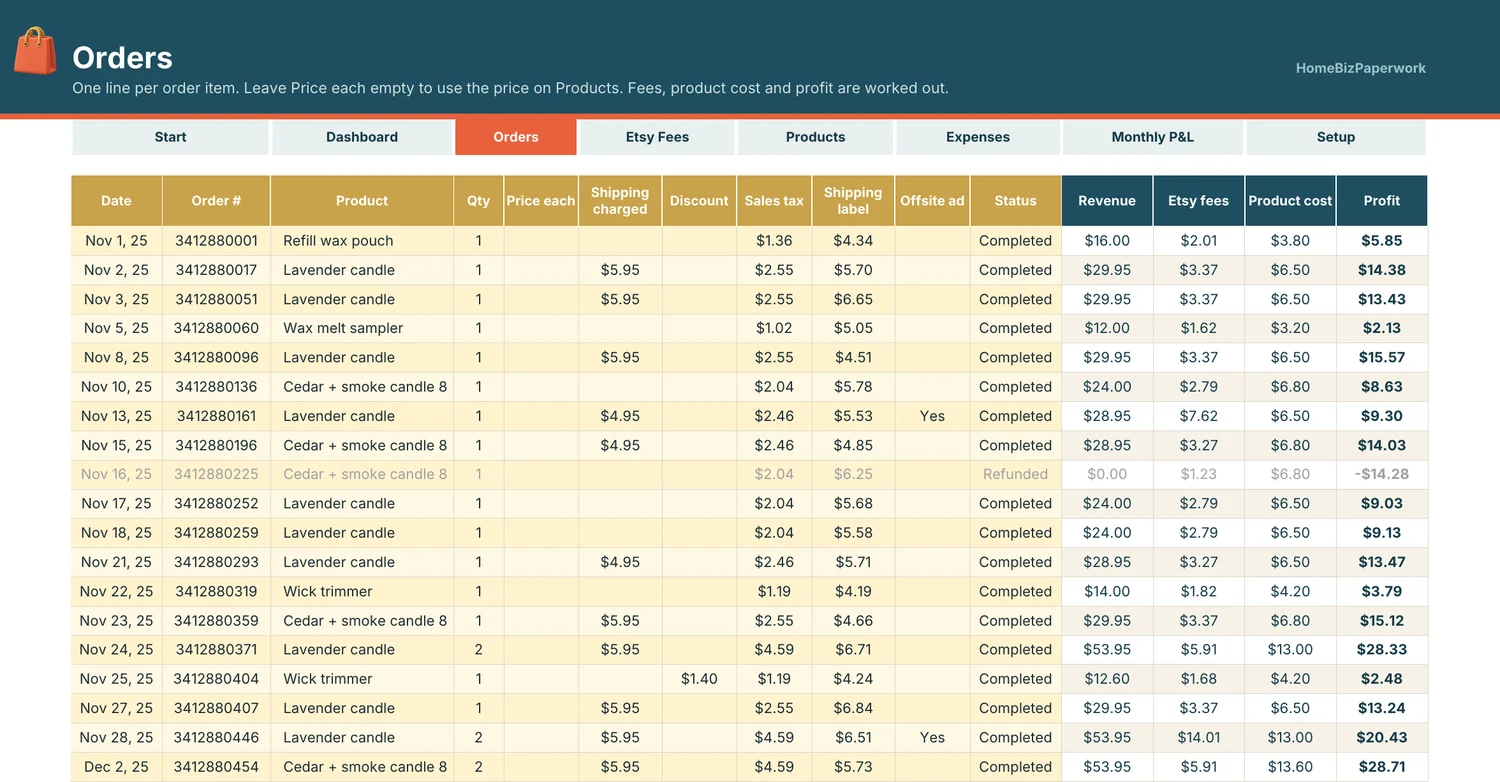
Orders
Orders: order lines with product, qty, shipping, discount, sales tax, label cost, Offsite Ads and refunds, plus revenue, Etsy fees, product cost and profit
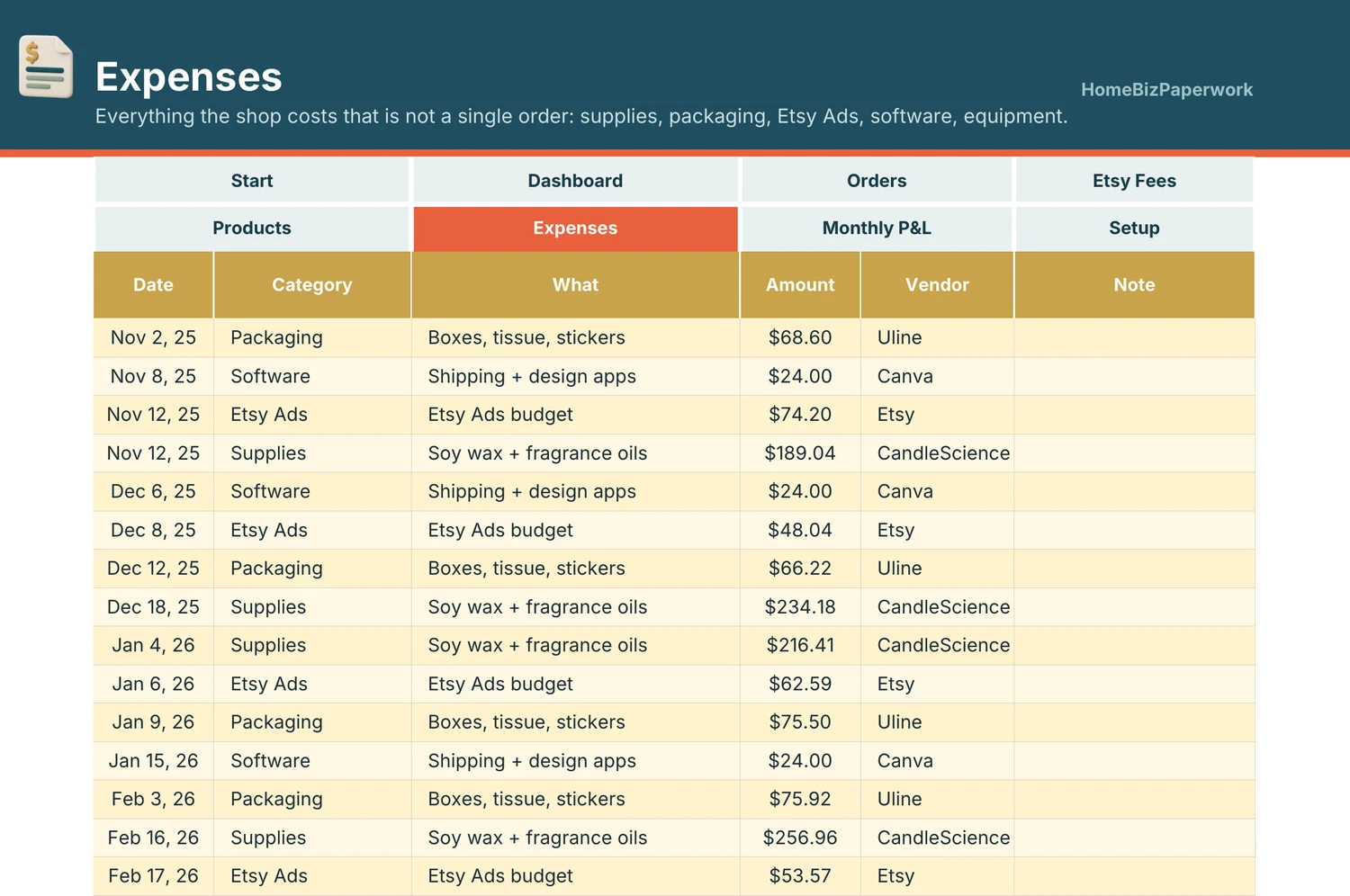
Expenses
Expenses: supplies, packaging, Etsy Ads, software and equipment by category
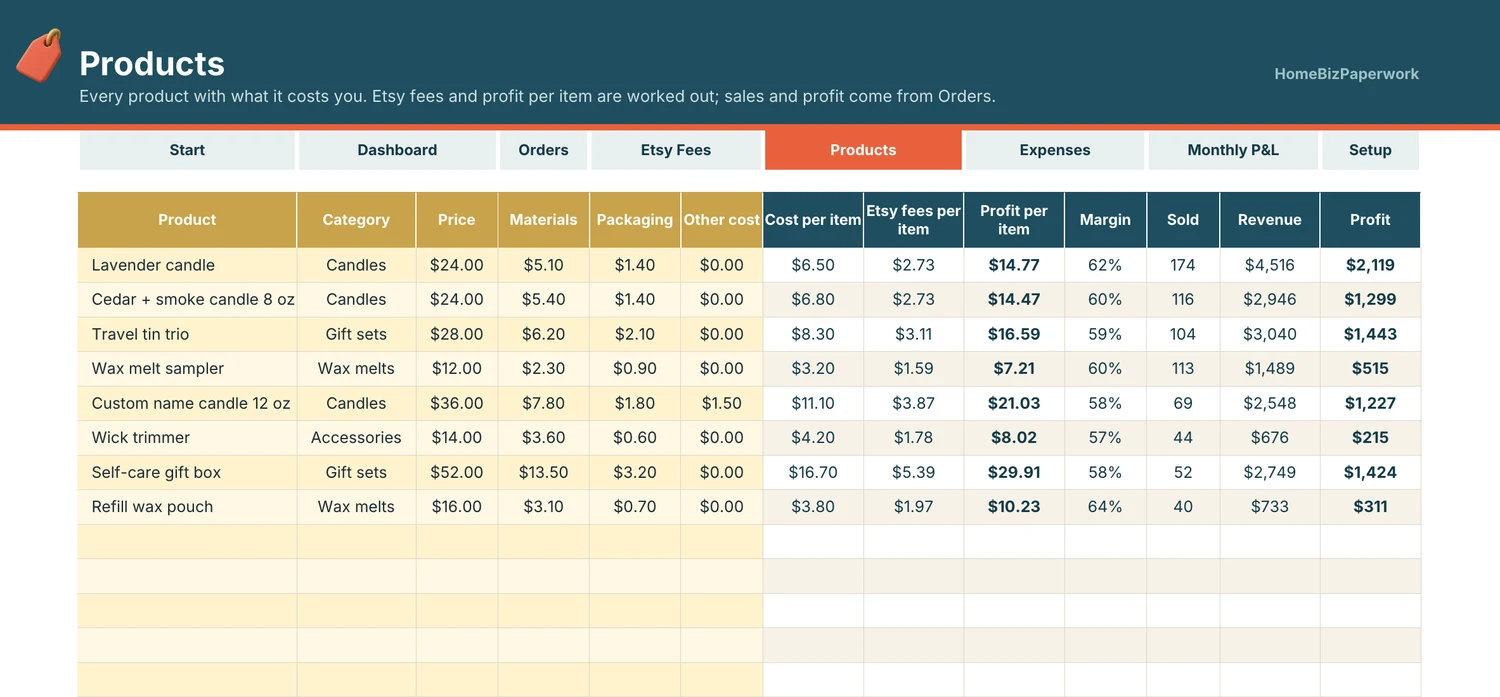
Products
Products: products with price, materials, packaging, cost per item, fees per item, profit per item, margin, sold, revenue and profit
A walkthrough from Albina.
Etsy Seller Spreadsheet Tutorial: Etsy Fees, Profit per Order & Monthly P&L (Google Sheets & Excel)
Loads YouTube when you press play. Watch on YouTube
Before you make it yours.
A simple way to get started
- Review the screenshots and included tools to check the template fits your workflow.
- Open the matching Etsy listing to confirm the current version, compatibility and what is included.
- After purchase, follow the supplied setup instructions. Start with a small set of your own records and review the results.
Good to know
- Fee rates are typed in on Setup and may differ by country. Not tax or accounting advice.
- Check the Etsy listing for included files and supported spreadsheet software before purchase. Enter your own information and review calculated results before relying on them.