 HomeBiz
 ACTUAL PRODUCT PREVIEW
Home Renovation Budget & Project Tracker
Know where every renovation dollar goes, room by room.
Secure purchase through Etsy. Check the listing for current availability, included files and purchase instructions.
Take a closer look ↓What can Home Renovation Budget & Project Tracker help you do?
This Home Renovation Budget & Tracker is a ready-to-use spreadsheet for Google Sheets and Excel. Set a budget for every room and a contingency. Compare contractor quotes, mark who you hired and log every payment; left to pay is worked out. Build your materials list by room and store and mark items bought. Actual spending per room is contractor payments plus materials, so the Budget shows planned vs actual, left and rooms over budget. Projects keeps every task with dates and % done, and the Timeline draws every task as a bar across the weeks. The Dashboard shows total budget, spent, left, rooms over budget and % complete. Type in the yellow cells; everything else is calculated for you.
Who is it for?
Designed for homeowners coordinating a renovation. Use the preview to check whether the screens and level of detail fit the way you prefer to work.
What's inside.
- Start Here: quick setup guide
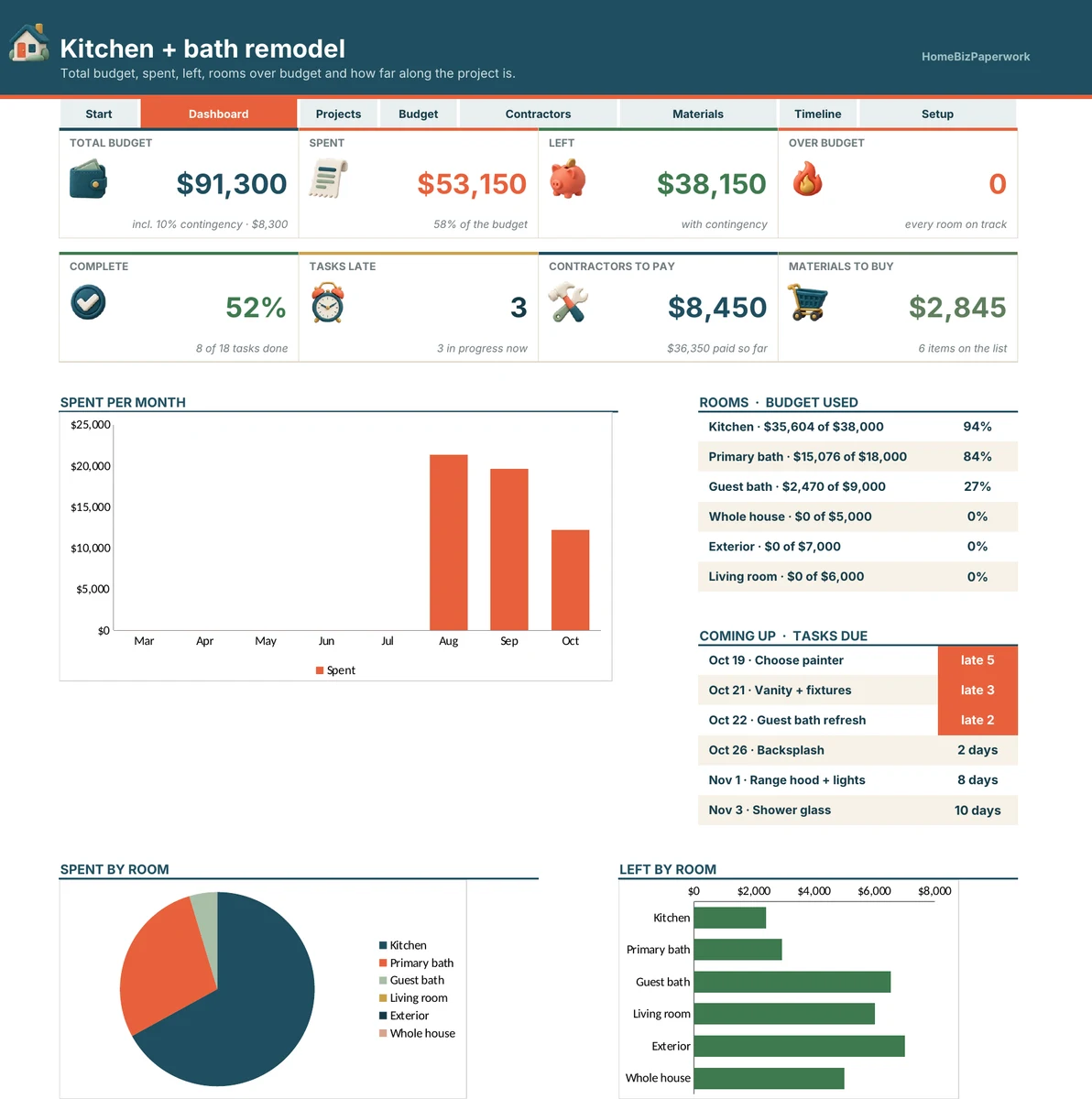
- Dashboard: total budget, spent, left, rooms over budget, % complete, late tasks, contractors to pay, materials to buy, spending chart, spent and left by room
- Projects: tasks with room, status, start, due, % done, contractor and days left
- Budget: planned vs actual for every room, contractor and materials costs, left, used and contingency
- Contractors: quotes to compare, hired, paid and left to pay, plus a payments log
- Materials: items with room, store, qty, unit price, total and status
- Timeline: every task as a bar across 16 weeks, with this week highlighted
- Setup: project name, rooms with planned budgets, contingency %, trades and stores
Real screens. Clearer decisions.
Explore the supplied product previews. Example data illustrates the layout; your own entries will be different. Select an image to view it at full size.
Dashboard
Dashboard: total budget, spent, left, rooms over budget, % complete, late tasks, contractors to pay, materials to buy, spending chart, spent and left by room
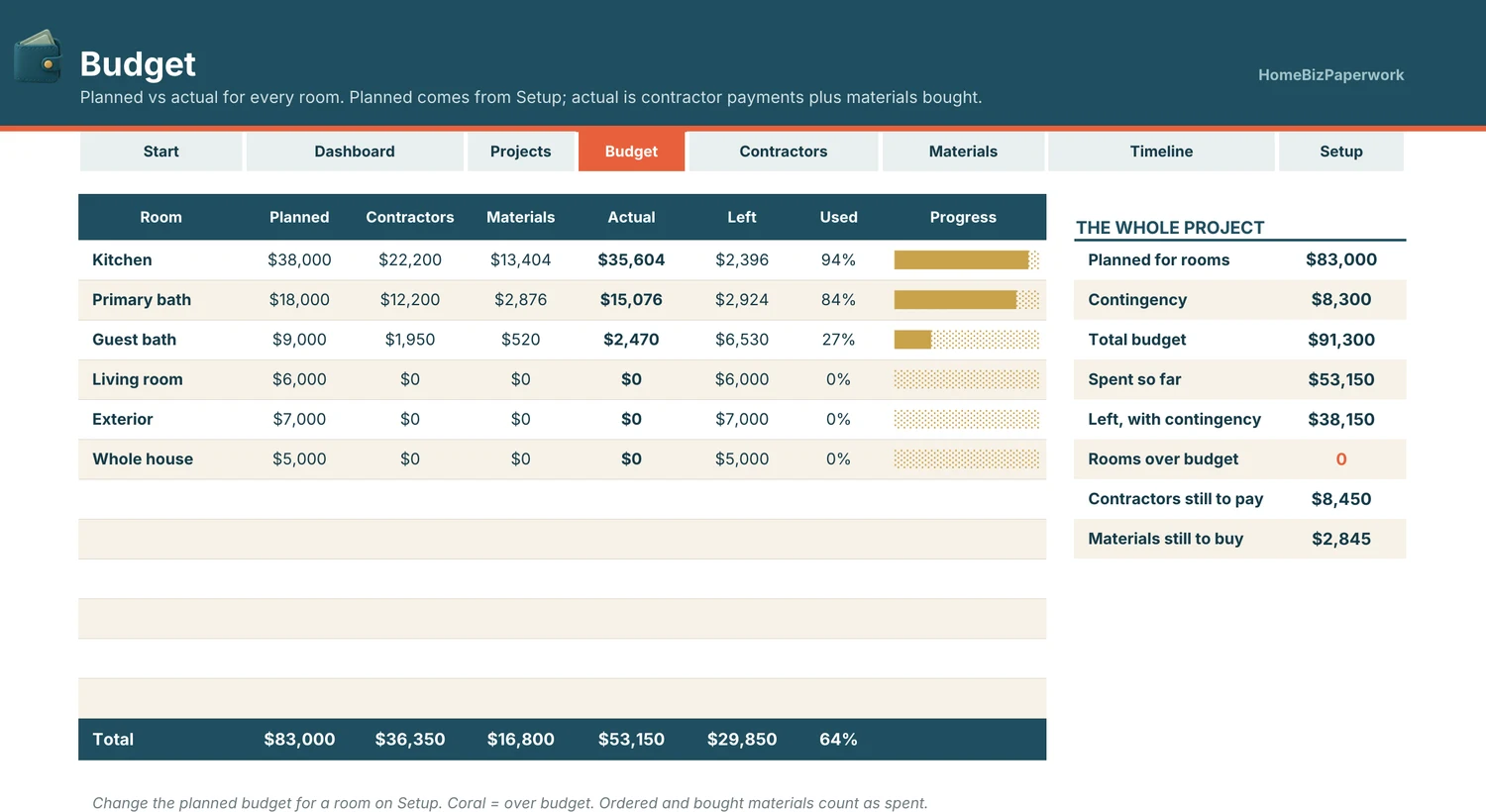
Budget
Budget: planned vs actual for every room, contractor and materials costs, left, used and contingency
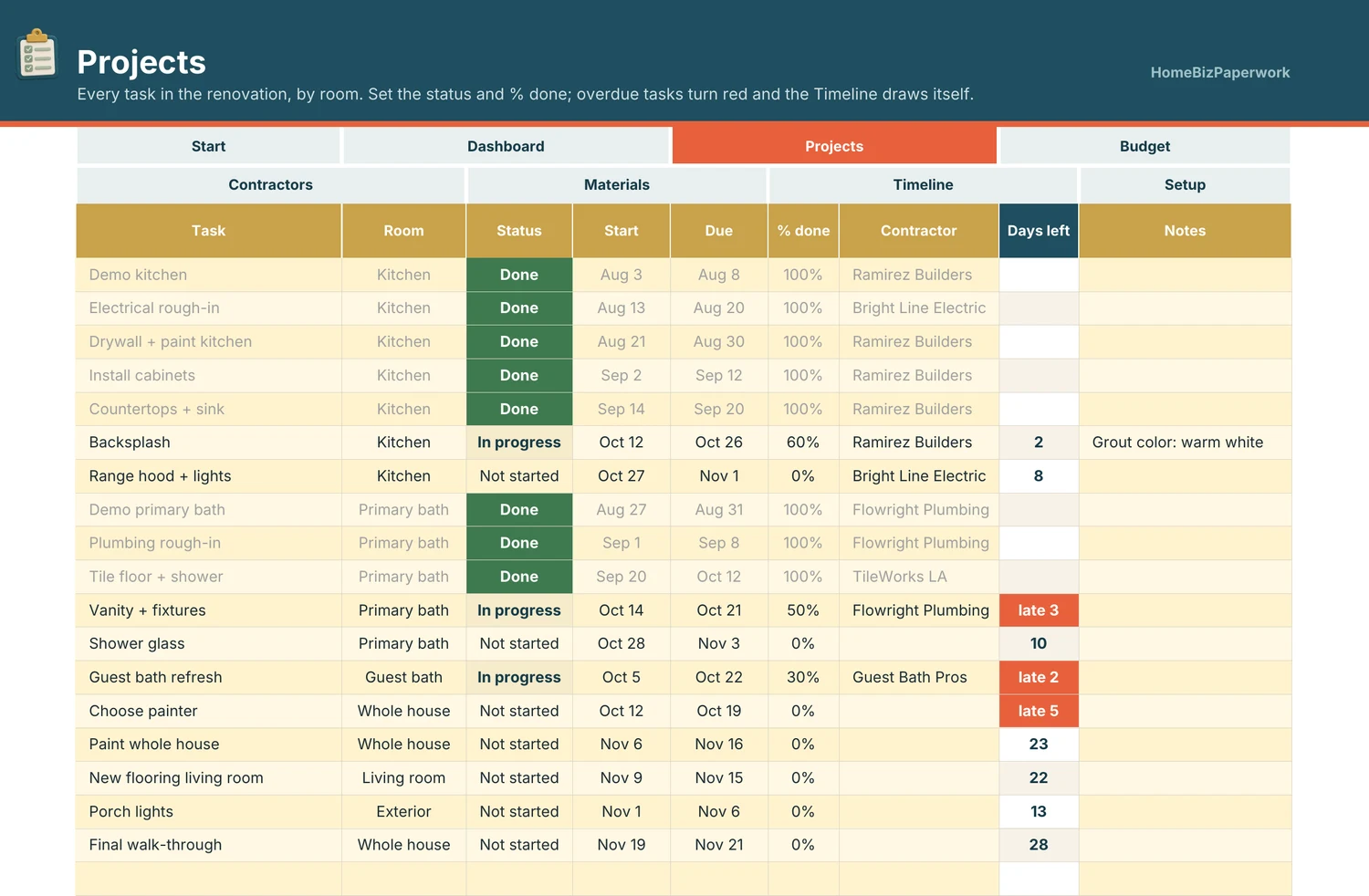
Projects
Projects: tasks with room, status, start, due, % done, contractor and days left
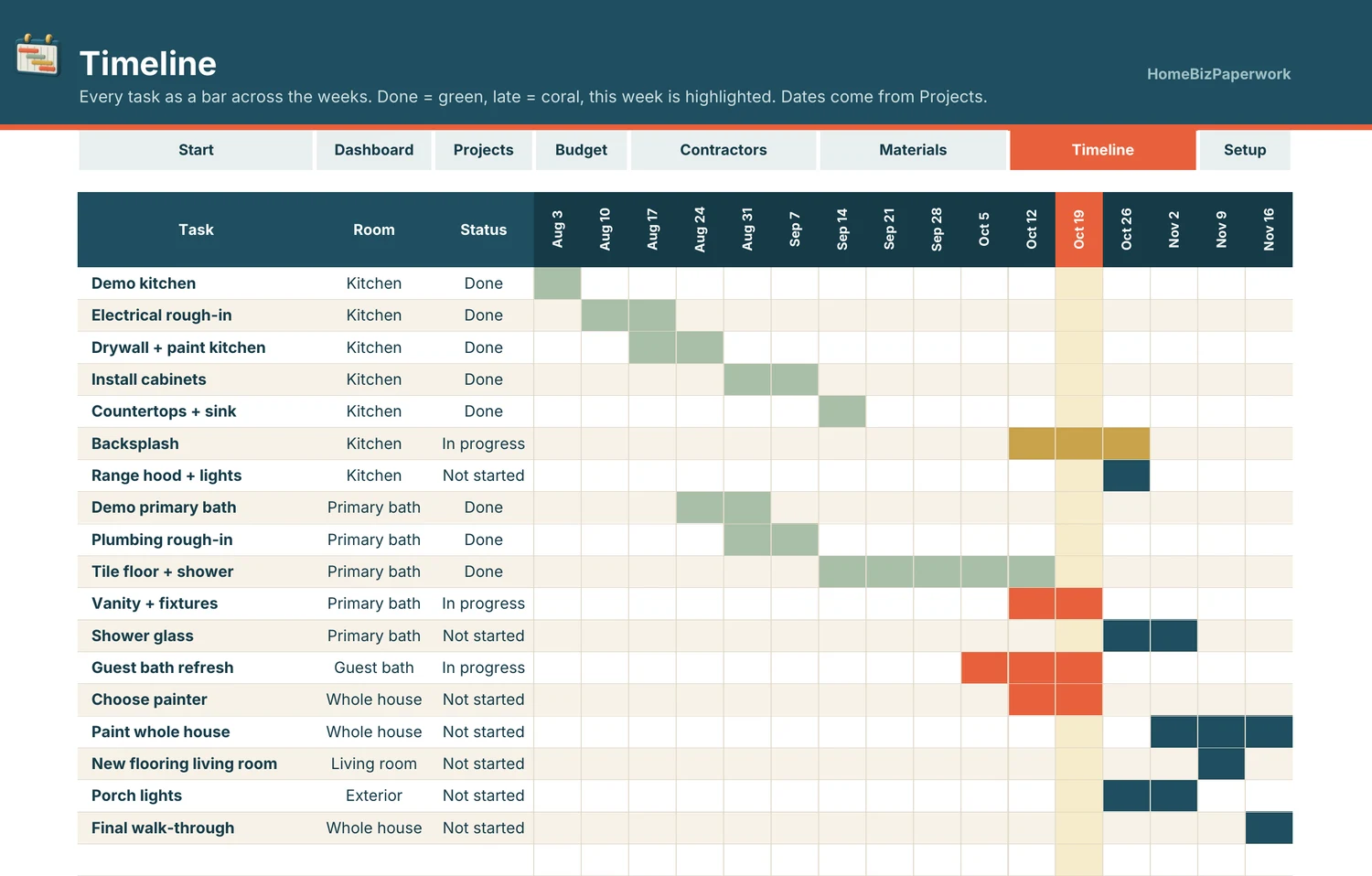
Timeline
Timeline: every task as a bar across 16 weeks, with this week highlighted
A walkthrough from Albina.
Home Renovation Budget Spreadsheet Tutorial: Contractors & Timeline (Google Sheets & Excel)
Loads YouTube when you press play. Watch on YouTube
Before you make it yours.
A simple way to get started
- Review the screenshots and included tools to check the template fits your workflow.
- Open the matching Etsy listing to confirm the current version, compatibility and what is included.
- After purchase, follow the supplied setup instructions. Start with a small set of your own records and review the results.
Good to know
- Numbers are what you type in. Not financial or construction advice.
- Check the Etsy listing for included files and supported spreadsheet software before purchase. Enter your own information and review calculated results before relying on them.