 HomeBiz
 ACTUAL PRODUCT PREVIEW
Calm Car
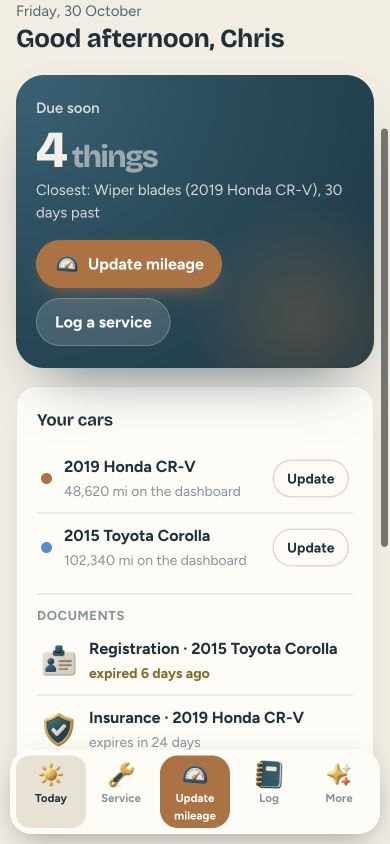
A calm car maintenance app: when was the last oil change? It remembers every service for every car.
Secure purchase through Etsy. Check the listing for current availability, included files and purchase instructions.
Take a closer look ↓What can Calm Car help you do?
Calm Car is a simple car log I made for anyone who keeps service receipts in the glovebox and still forgets the oil change. No account, no subscription, no ads. Add your car, its mileage, and the last time you changed the oil. Today shows what’s due soon, the closest first, by date or by miles. Tap Update mileage and type what the dashboard says.
Who is it for?
Designed for vehicle owners tracking maintenance. Use the preview to check whether the screens and level of detail fit the way you prefer to work.
What's inside.
- Today: what’s due soon, the closest first, by date or by miles
- Update mileage: type what the dashboard says, the app works out the rest
- Service: oil, tires, brakes and more, with how often each one is due
- Log: every service with the date, the miles, the shop and the cost
- Costs: what the car cost you this month and this year, gas included
- Documents: insurance, registration and warranty dates, so nothing expires by surprise
- Several cars, miles or kilometers, CSV export, dark mode and backup in Settings
Real screens. Clearer decisions.
Explore the supplied product previews. Example data illustrates the layout; your own entries will be different. Select an image to view it at full size.
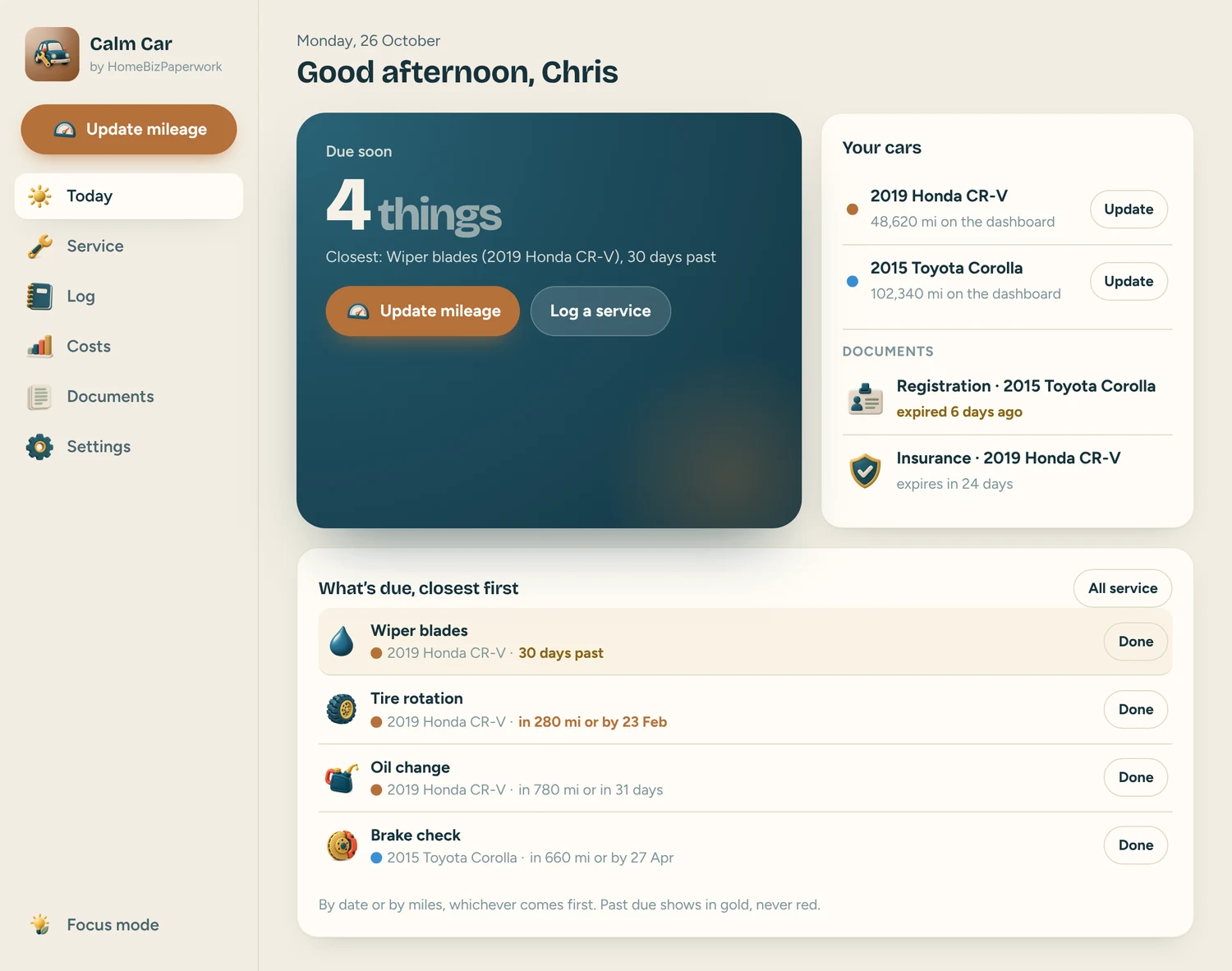
Today
Today: what’s due soon, the closest first, by date or by miles
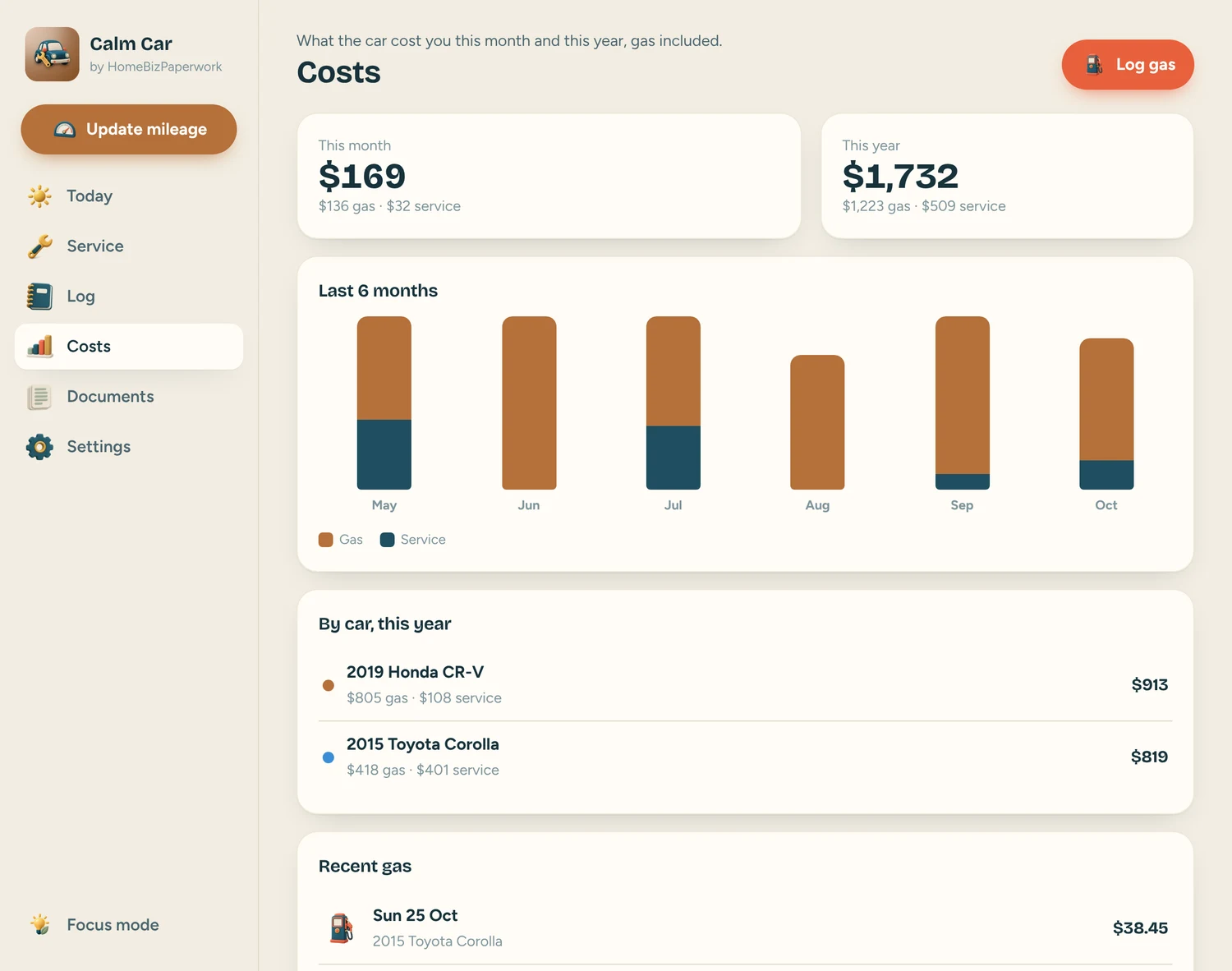
Costs
Costs: what the car cost you this month and this year, gas included
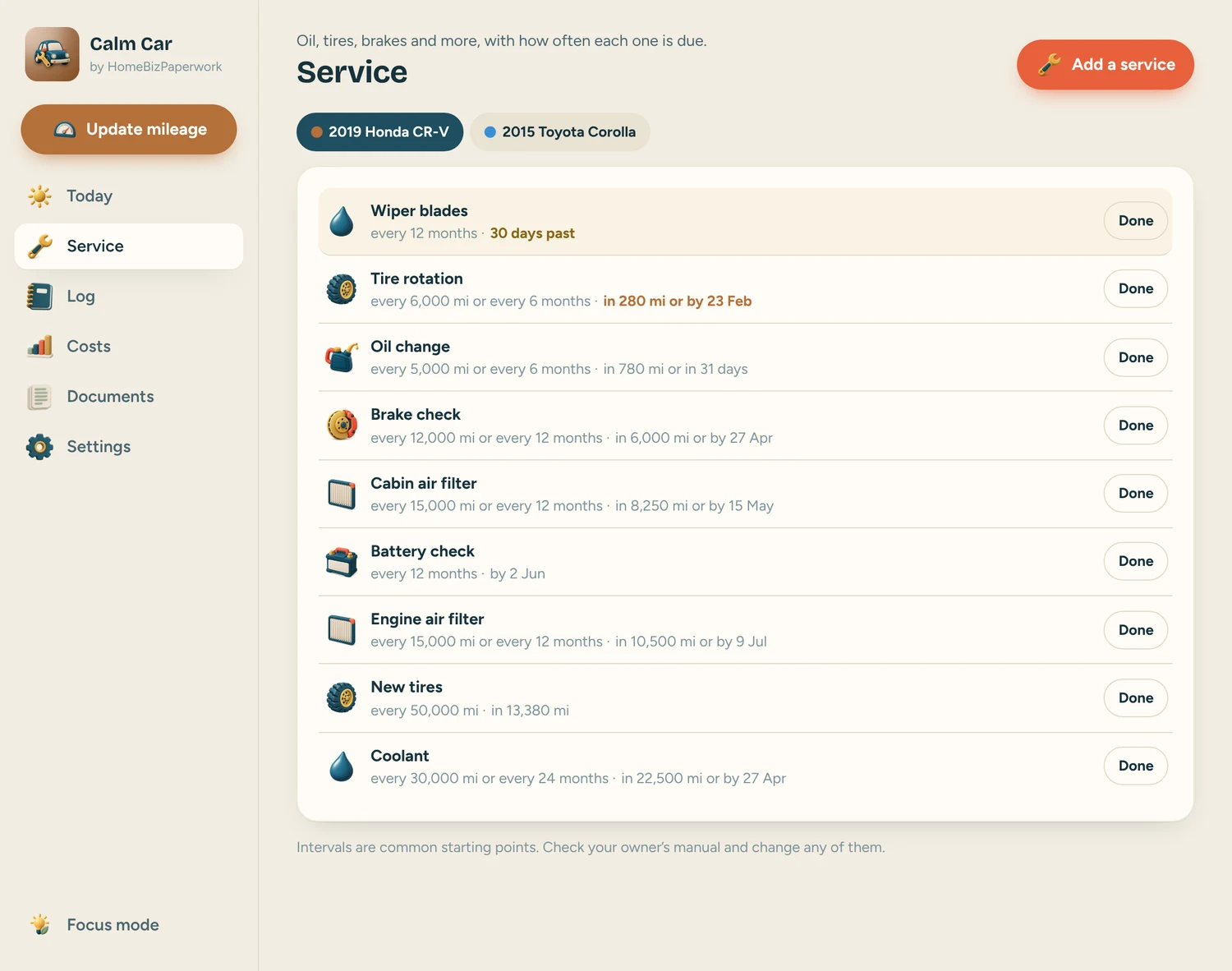
Service
Service: oil, tires, brakes and more, with how often each one is due
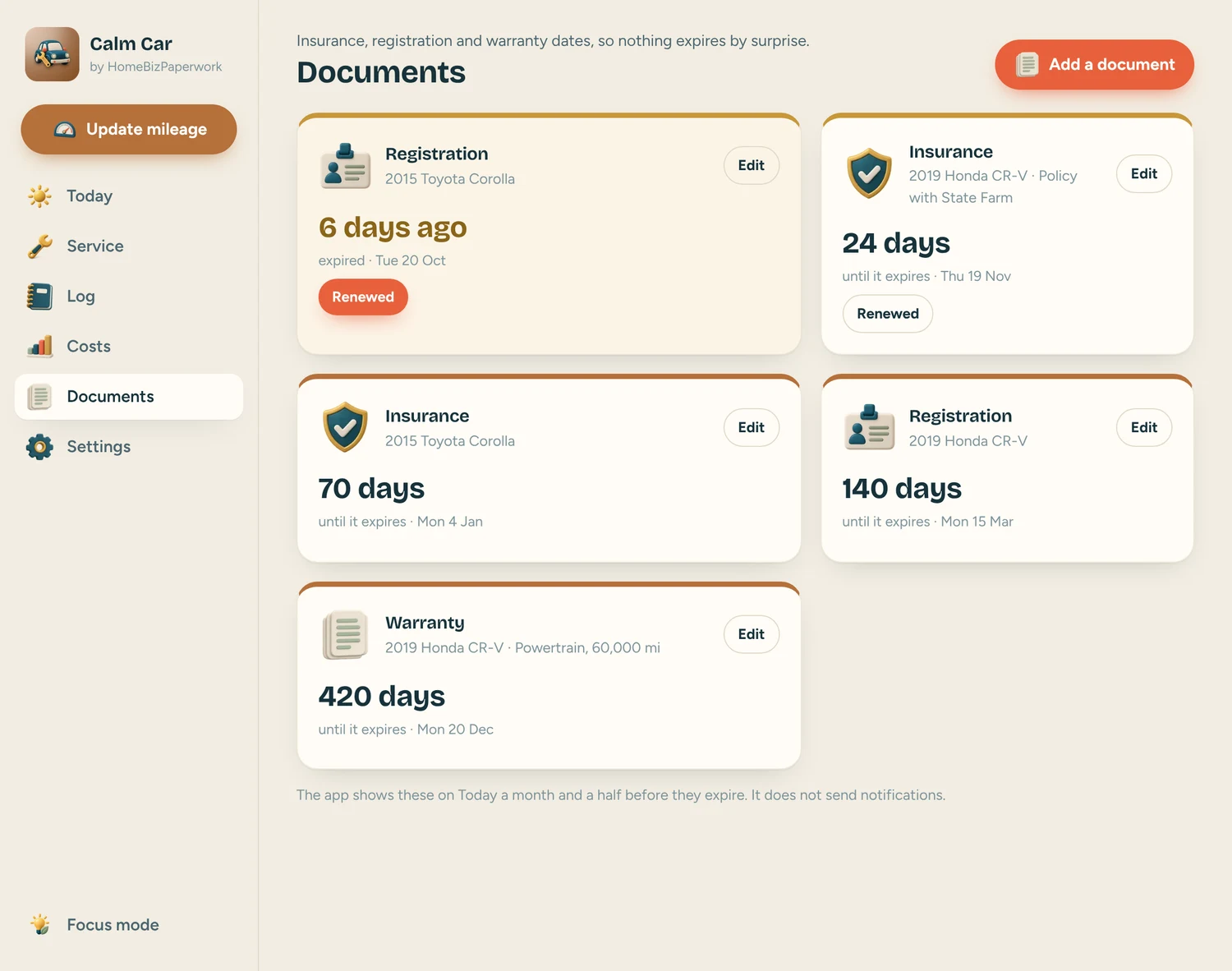
Documents
Documents: insurance, registration and warranty dates, so nothing expires by surprise
A walkthrough from Albina.
Car Maintenance Tracker App Tutorial: Oil Changes, Service Log & Costs (Phone & Computer)
Loads YouTube when you press play. Watch on YouTube
Before you make it yours.
A simple way to get started
- Try the free demo and explore the screens you will use most.
- Open the matching Etsy listing to confirm the current version, compatibility and what is included.
- After purchase, follow the supplied setup instructions. Start with a small set of your own records and review the results.
Good to know
- It does not connect to your car or send notifications; you type the mileage and open it to see what’s due.
- Service intervals are common starting points. Follow your owner’s manual and change any of them.
- Clearing your browser data can erase your entries, so download a backup in Settings now and then.
- Keep a backup of your entries before clearing browser data or changing devices. The demo and purchased app are separate; review the purchase instructions before entering your own information.