 HomeBiz
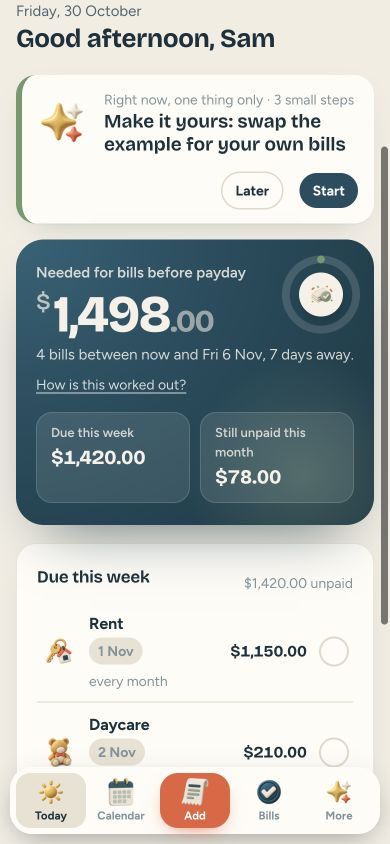 ACTUAL PRODUCT PREVIEW
Calm Bills
A calm bill tracker for busy brains: every bill in one place, and one number for what you need before payday.
Secure purchase through Etsy. Check the listing for current availability, included files and purchase instructions.
Take a closer look ↓What can Calm Bills help you do?
Calm Bills is a simple bill tracker app I made for people with ADHD and anyone who keeps missing bills they totally knew about. No bank login, no subscription, no ads. Add each bill once (the name, the amount and the due day) and the app shows what is due this week, what is still unpaid, and how much you need for bills before your next payday.
Who is it for?
Designed for people tracking bill due dates. Use the preview to check whether the screens and level of detail fit the way you prefer to work.
What's inside.
- Today: due this week, still unpaid, and the big number you need before payday
- Calendar: every bill on its day, tap any day to see what is due
- Bills: monthly, twice a month, every two weeks, every few months or once a year
- Tick it when it’s paid: paid bills turn green, late bills show in gold, never red
- Subscriptions: every streaming service and app you pay for, with the total per month and per year
- Set aside: big bills like car insurance are held back a little each month
- History: what you paid each month, export CSV any time
- Focus mode, dark mode and backup in Settings
- Welcome back screen if you skip a few days, no guilt
Real screens. Clearer decisions.
Explore the supplied product previews. Example data illustrates the layout; your own entries will be different. Select an image to view it at full size.
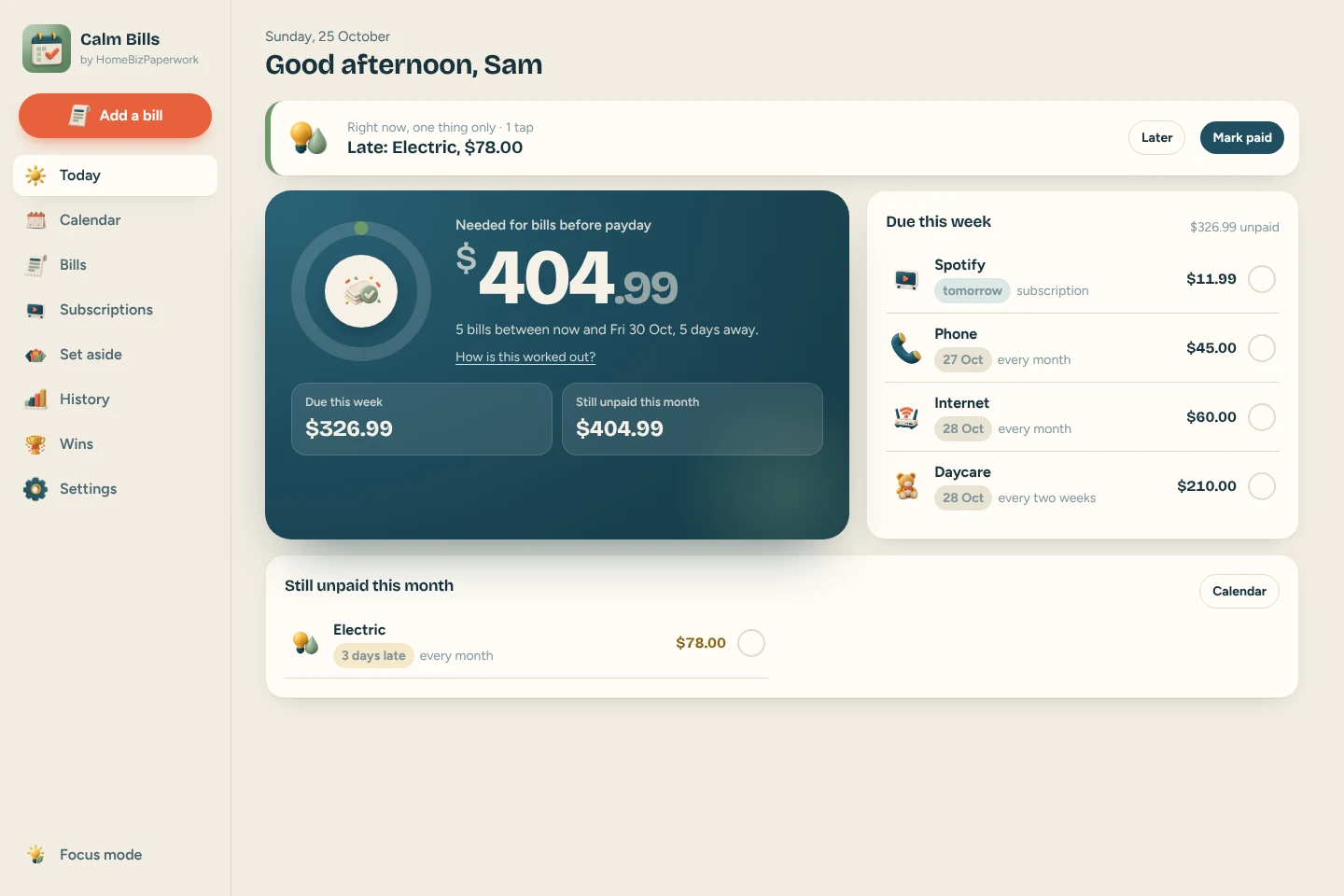
Today
Today: due this week, still unpaid, and the big number you need before payday
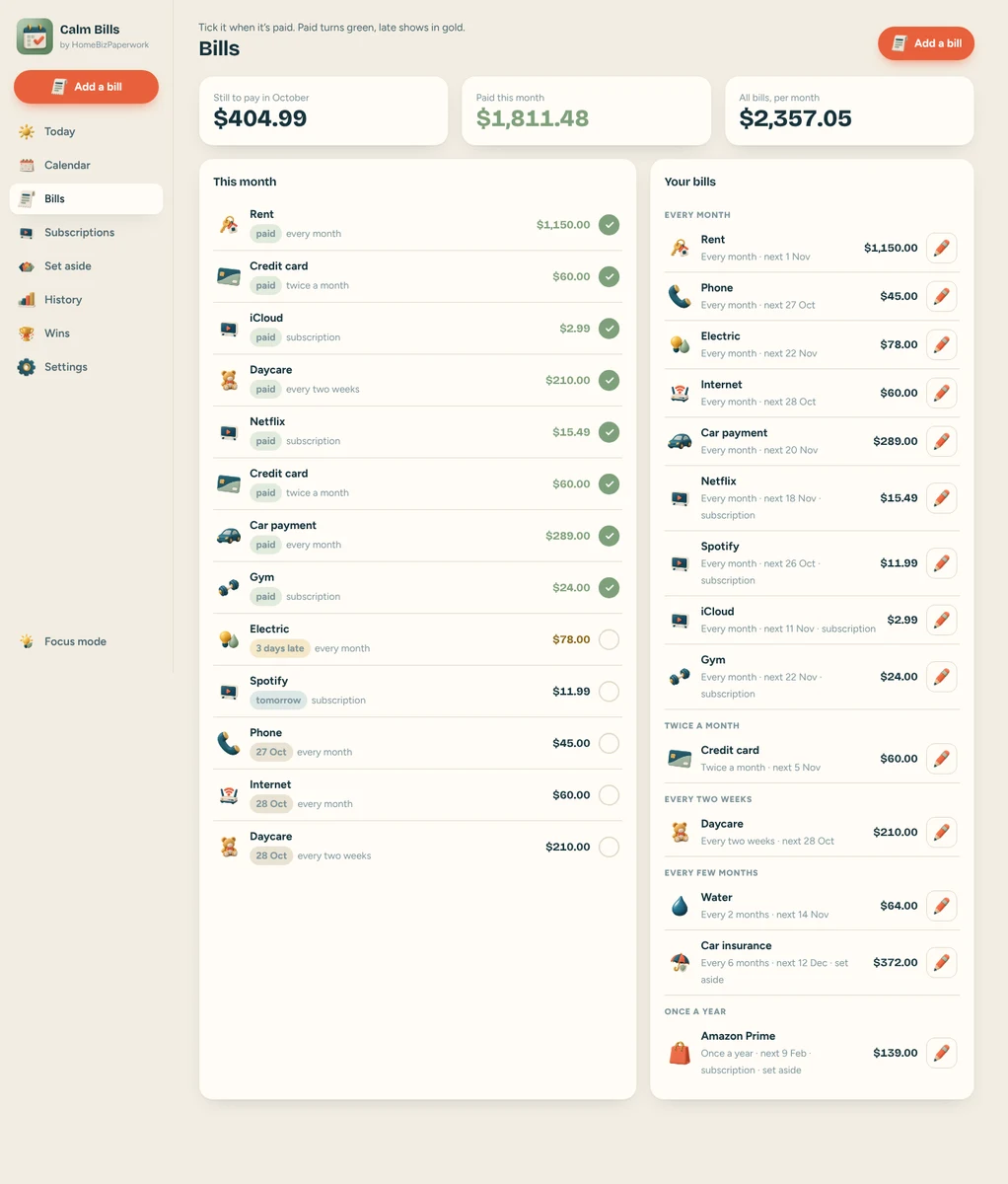
Bills
Bills: monthly, twice a month, every two weeks, every few months or once a year
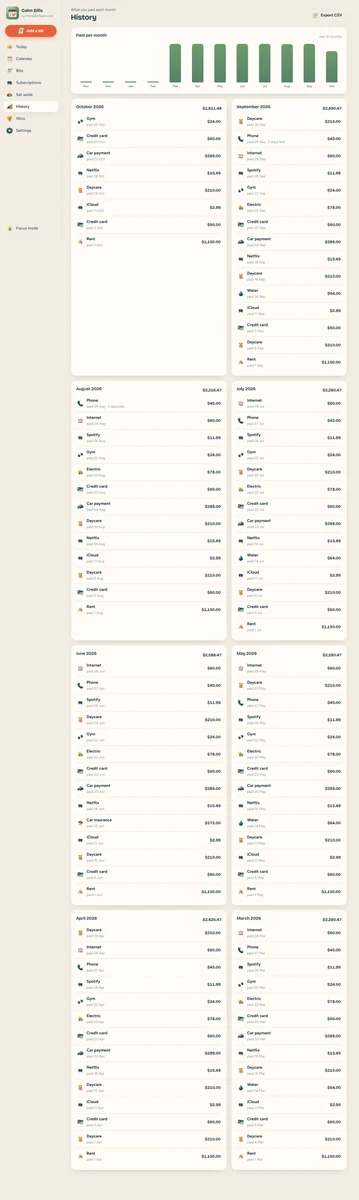
History
History: what you paid each month, export CSV any time
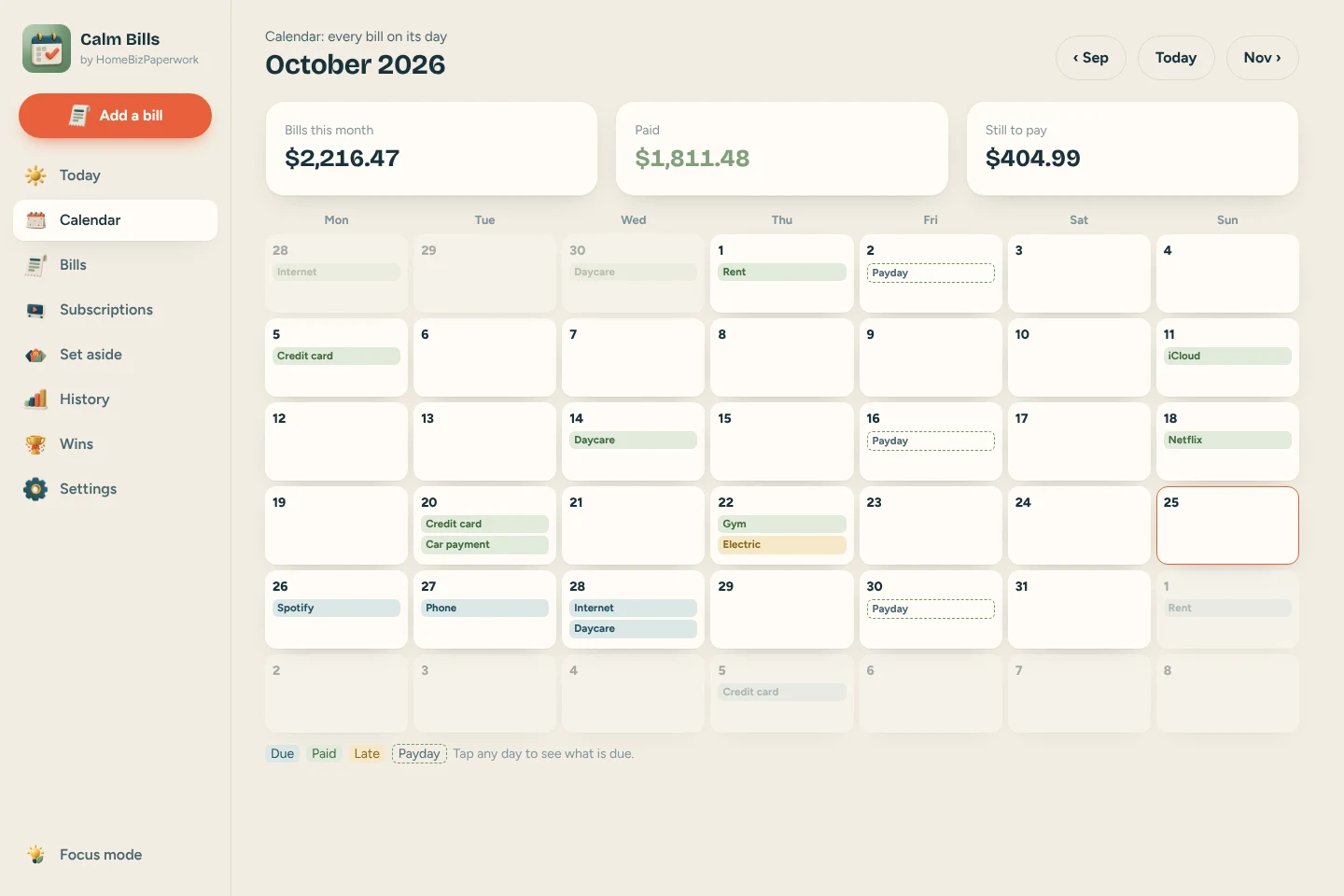
Calendar
Calendar: every bill on its day, tap any day to see what is due
A walkthrough from Albina.
ADHD Bill Tracker App Tutorial: Bill Calendar, Due Dates & Subscriptions (Phone & Computer)
Loads YouTube when you press play. Watch on YouTube
Before you make it yours.
A simple way to get started
- Try the free demo and explore the screens you will use most.
- Open the matching Etsy listing to confirm the current version, compatibility and what is included.
- After purchase, follow the supplied setup instructions. Start with a small set of your own records and review the results.
Good to know
- It does not connect to your bank and it does not send notifications; open it to see what is due.
- Numbers are estimates to help you plan, not financial advice.
- Clearing your browser data can erase your entries, so download a backup in Settings now and then.
- Keep a backup of your entries before clearing browser data or changing devices. The demo and purchased app are separate; review the purchase instructions before entering your own information.