 HomeBiz
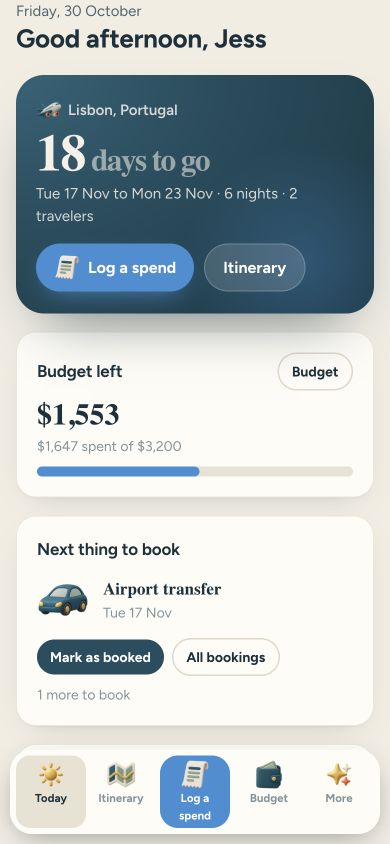 ACTUAL PRODUCT PREVIEW
Calm Trip
A calm travel planner app: the whole trip and its budget in one place, from the countdown to the last receipt.
Secure purchase through Etsy. Check the listing for current availability, included files and purchase instructions.
Take a closer look ↓What can Calm Trip help you do?
Calm Trip is a simple trip planner I made for anyone whose trip plans live in screenshots and who has no idea what they’ve spent. No account, no subscription, no ads. Add where you’re going, your dates and your budget, and it shows a countdown, the budget left and the next thing to book. Your packing list is made for your kind of trip, and every confirmation code is in one list that works offline.
Who is it for?
Designed for travellers organising itineraries and packing. Use the preview to check whether the screens and level of detail fit the way you prefer to work.
What's inside.
- Today: a countdown, the budget left and the next thing to book (during the trip, today’s plans)
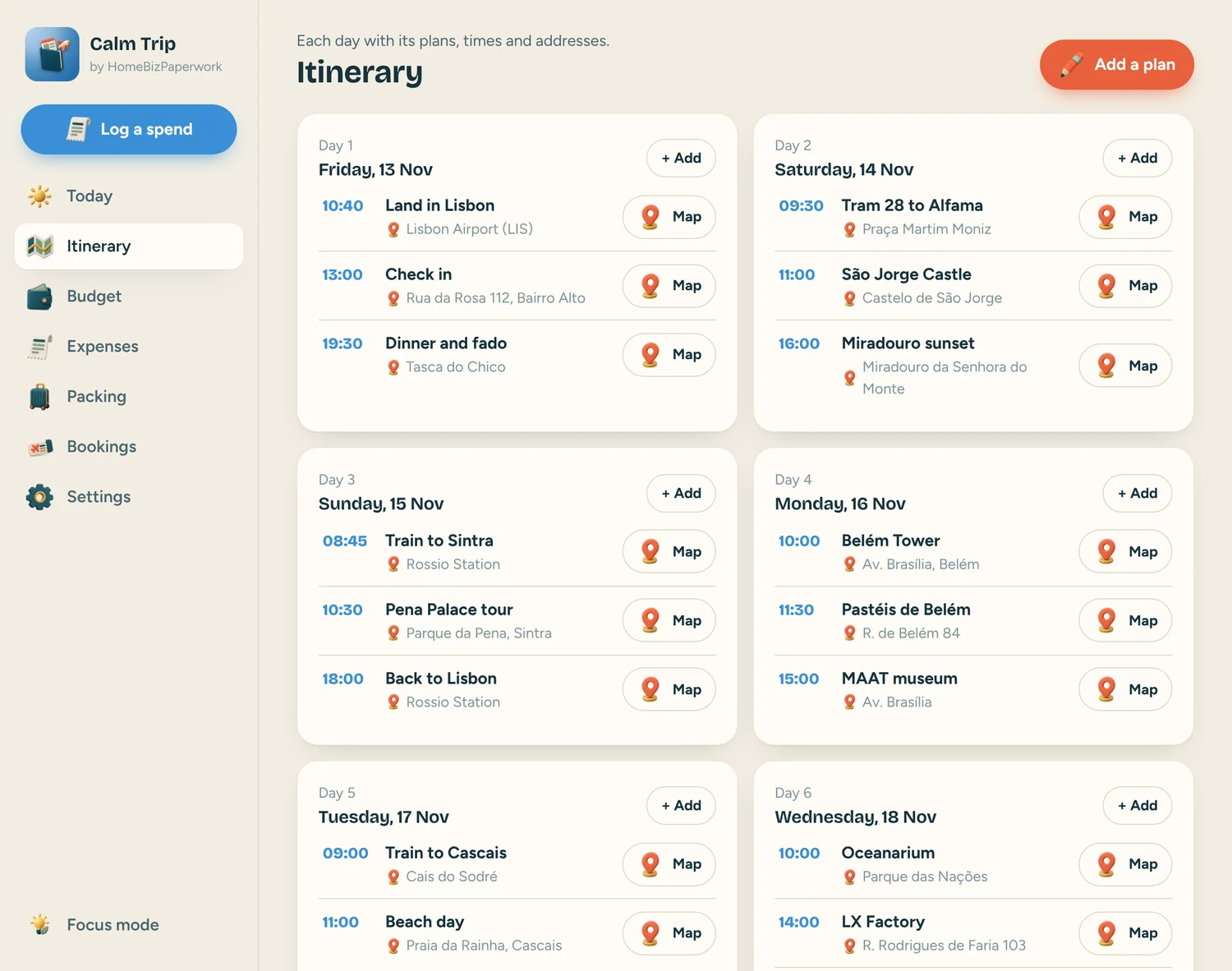
- Itinerary: each day with its plans, times and addresses, tap Map to open an address
- Budget: planned and spent for flights, stay, food, fun and getting around, it turns gold if you go over
- Expenses: log a spend in two taps, export as CSV
- Packing: a packing list made for your trip (beach, city, cold, business, kids, hiking) that you can tick off
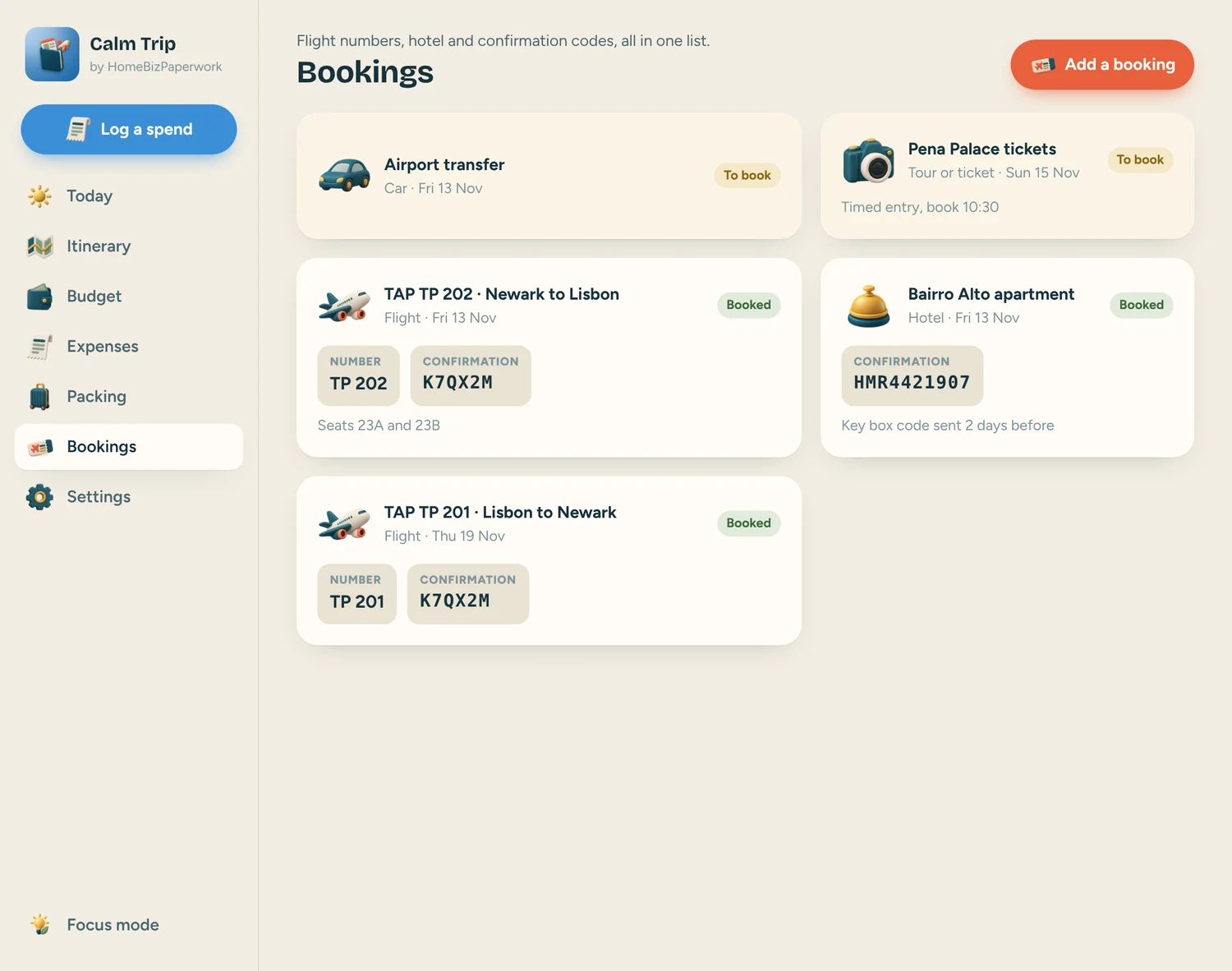
- Bookings: flight numbers, hotel and confirmation codes, all in one list
- 15 currencies, focus mode, dark mode and backup in Settings
Real screens. Clearer decisions.
Explore the supplied product previews. Example data illustrates the layout; your own entries will be different. Select an image to view it at full size.
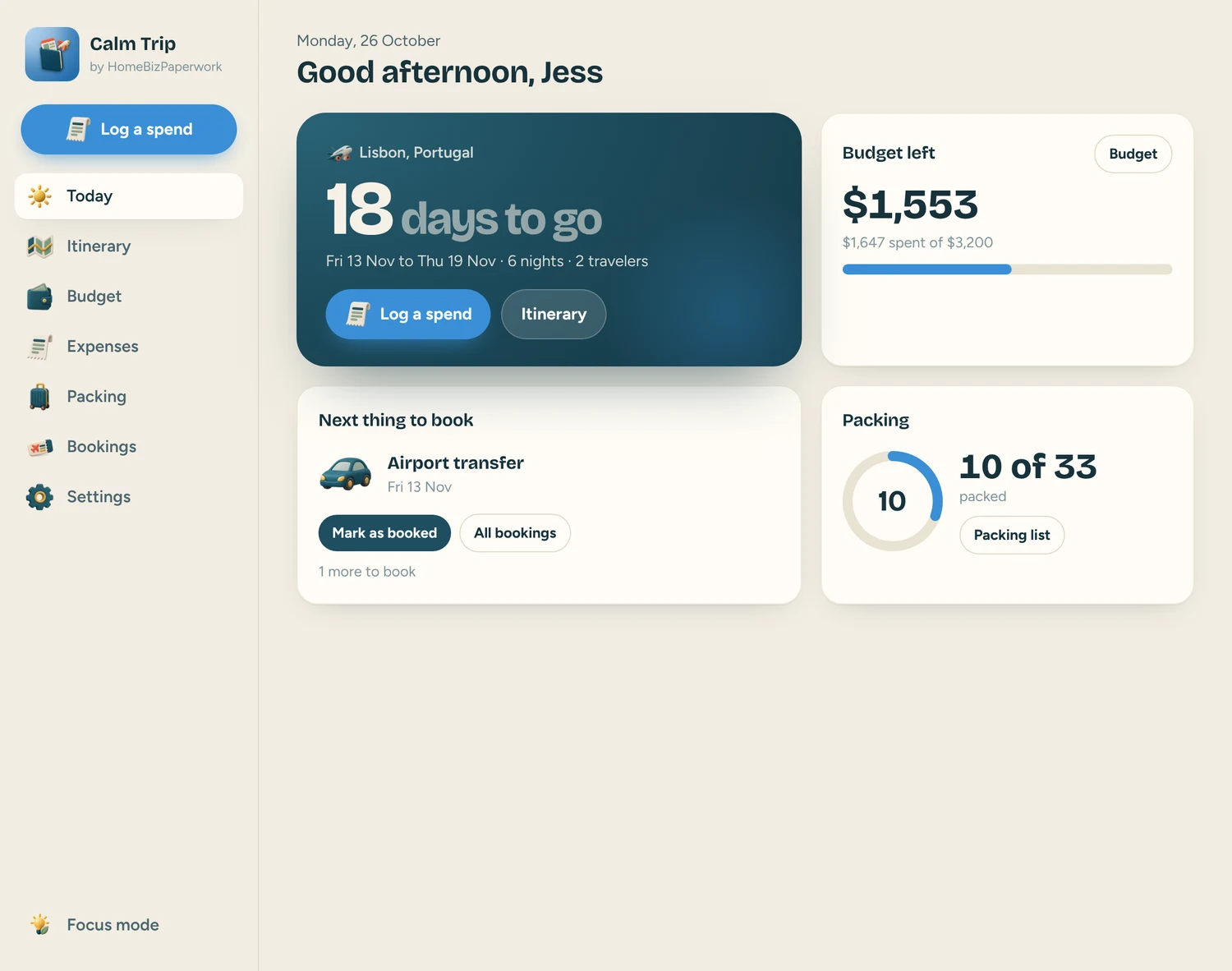
Today
Today: a countdown, the budget left and the next thing to book (during the trip, today’s plans)
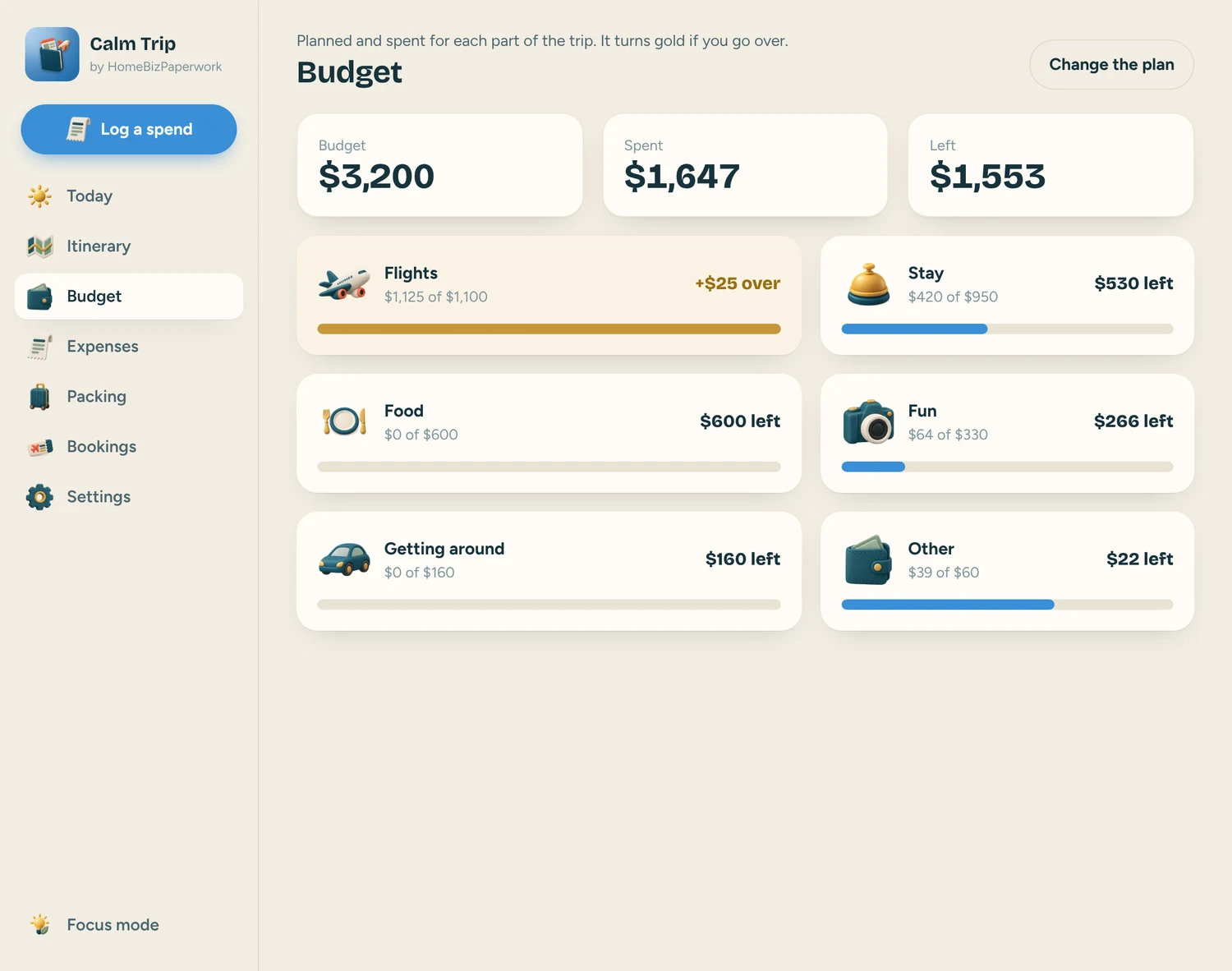
Budget
Budget: planned and spent for flights, stay, food, fun and getting around, it turns gold if you go over
Bookings
Bookings: flight numbers, hotel and confirmation codes, all in one list
Itinerary
Itinerary: each day with its plans, times and addresses, tap Map to open an address
A walkthrough from Albina.
Travel Planner App Tutorial: Itinerary, Trip Budget & Packing List (Phone & Computer)
Loads YouTube when you press play. Watch on YouTube
Before you make it yours.
A simple way to get started
- Try the free demo and explore the screens you will use most.
- Open the matching Etsy listing to confirm the current version, compatibility and what is included.
- After purchase, follow the supplied setup instructions. Start with a small set of your own records and review the results.
Good to know
- It does not book anything or import emails; you type or paste your plans and codes.
- It plans one trip at a time. When you’re home, start your next trip in Settings.
- Clearing your browser data can erase your entries, so download a backup in Settings now and then.
- Keep a backup of your entries before clearing browser data or changing devices. The demo and purchased app are separate; review the purchase instructions before entering your own information.