 HomeBiz
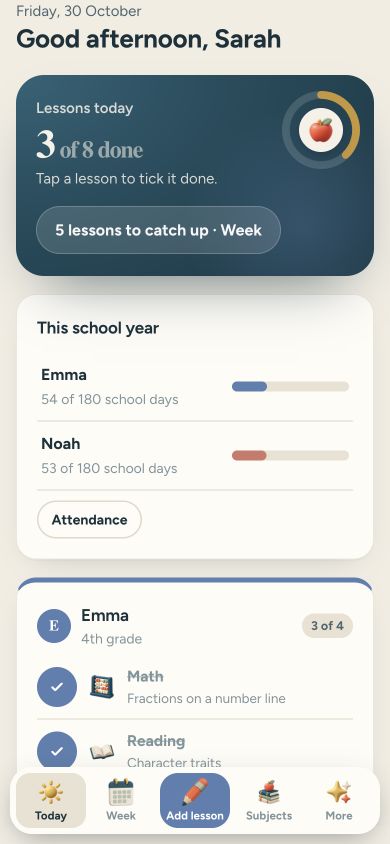 ACTUAL PRODUCT PREVIEW
Calm Homeschool
A calm homeschool planner app: it plans the lessons for each child and keeps the records for you.
Secure purchase through Etsy. Check the listing for current availability, included files and purchase instructions.
Take a closer look ↓What can Calm Homeschool help you do?
Calm Homeschool is a simple homeschool planner I made for parents whose lesson plans and records are all over the place. No account, no subscription, no ads. Add your kids, their grades and their subjects, and each day it shows every child’s lessons for today. Tap a lesson to tick it done. Missed one? Tap Move and it goes to the next school day. Nothing turns red, nothing breaks.
Who is it for?
Designed for parents organising homeschool lessons. Use the preview to check whether the screens and level of detail fit the way you prefer to work.
What's inside.
- Today: each child’s lessons for today, tap a lesson to tick it done
- Week: lessons spread across the week, tap Move to send a missed lesson to the next school day
- Subjects: lessons done this year for each subject and how far along it is
- Attendance: every school day is counted for you, tap a day to count a field trip, export as CSV
- Grades: add a grade to any lesson and see the average for each subject
- Reading list: books for each child, with pages read
- Reports: a simple summary for each child that you can print or save as a PDF
- Several kids in one app, focus mode, dark mode and backup in Settings
Real screens. Clearer decisions.
Explore the supplied product previews. Example data illustrates the layout; your own entries will be different. Select an image to view it at full size.
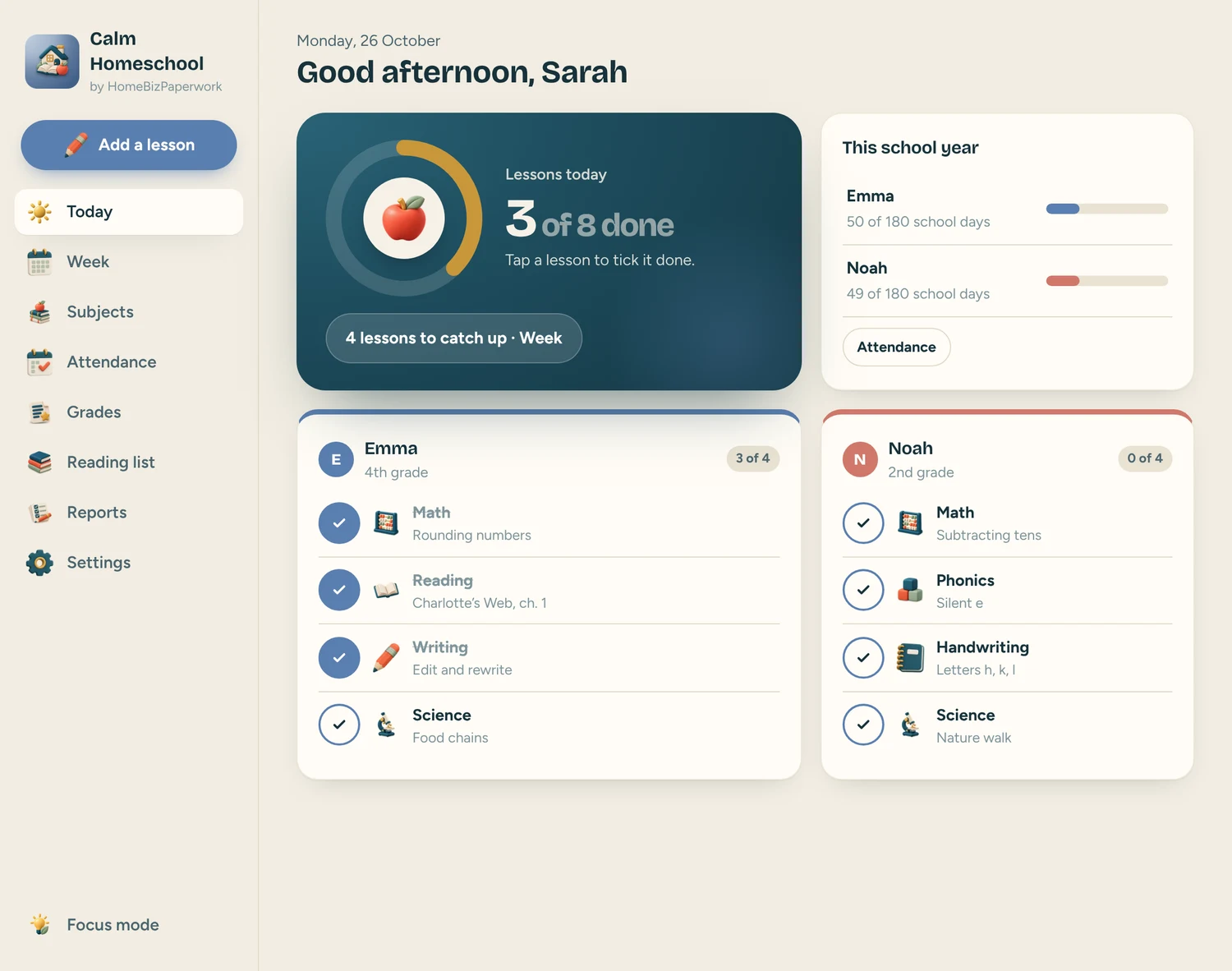
Today
Today: each child’s lessons for today, tap a lesson to tick it done
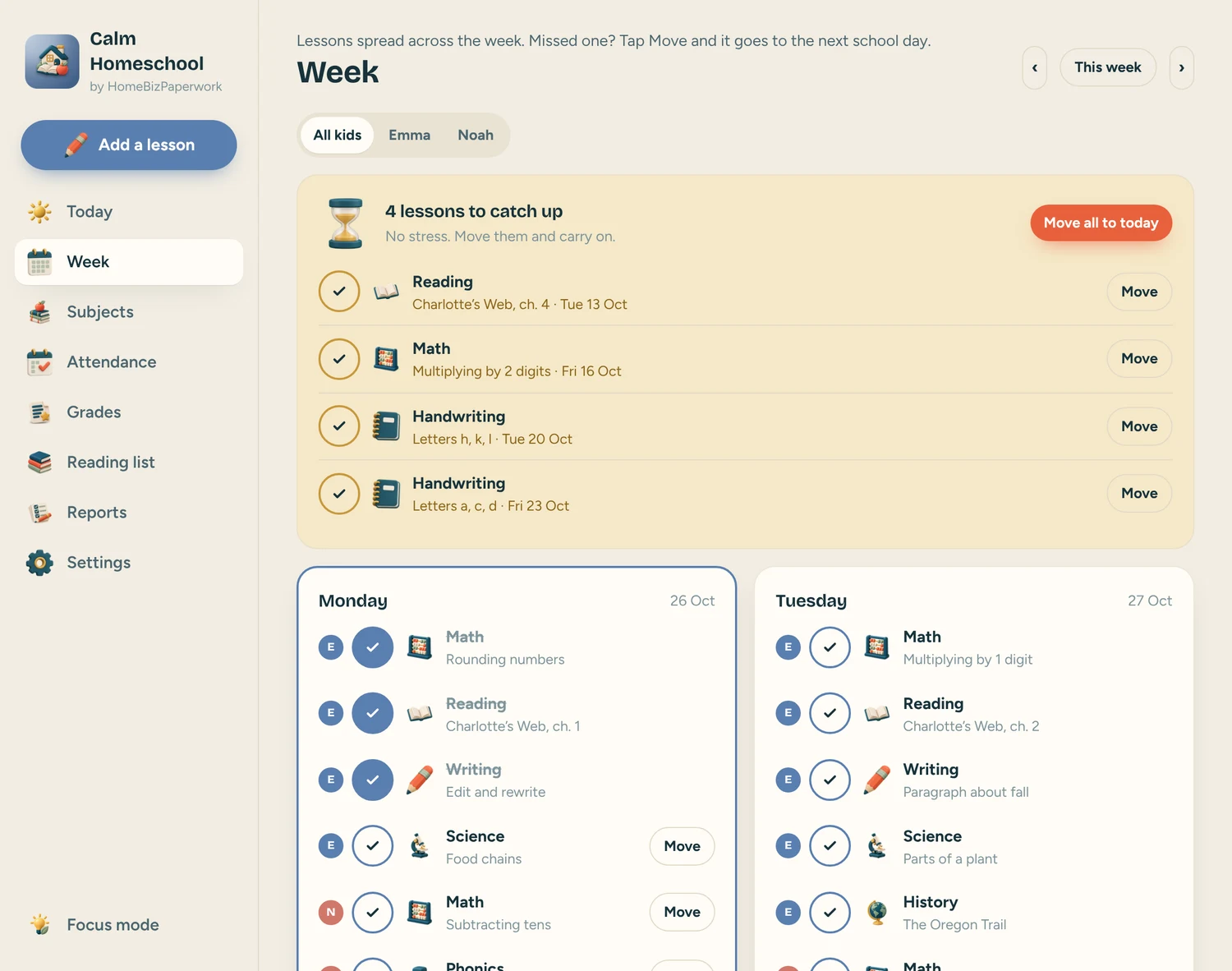
Week
Week: lessons spread across the week, tap Move to send a missed lesson to the next school day
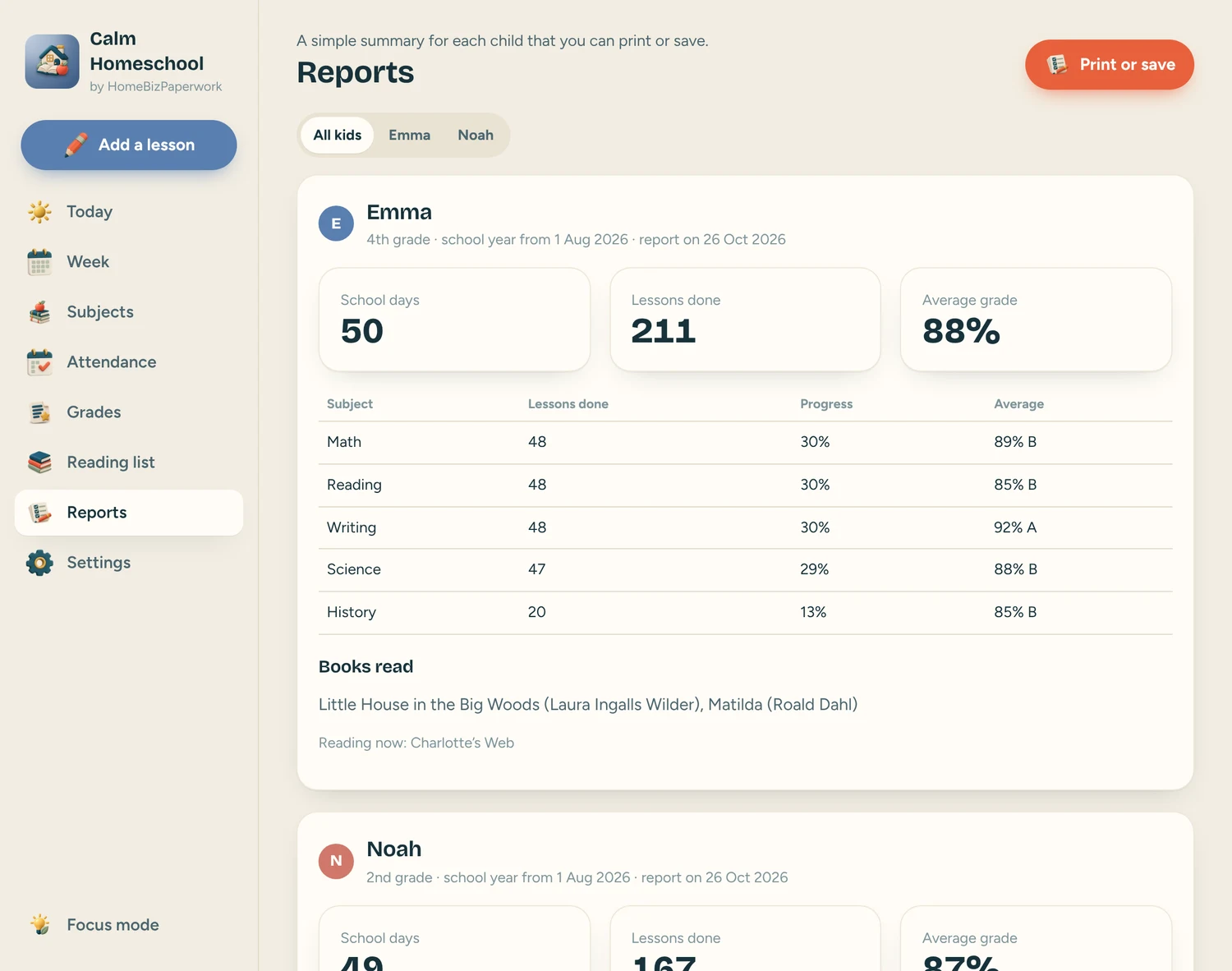
Reports
Reports: a simple summary for each child that you can print or save as a PDF
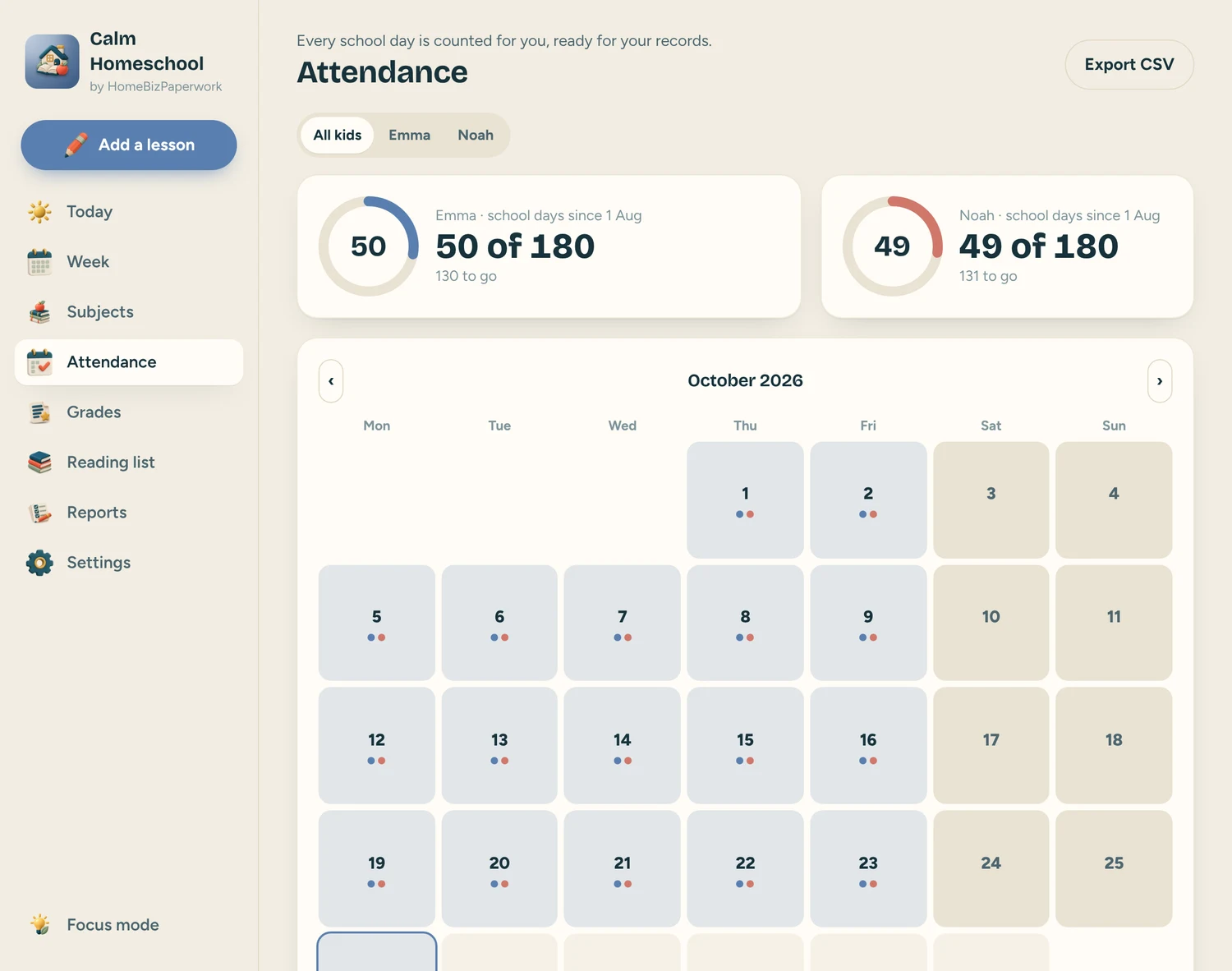
Attendance
Attendance: every school day is counted for you, tap a day to count a field trip, export as CSV
A walkthrough from Albina.
Homeschool Planner App Tutorial: Lessons, Attendance, Grades & Records (Phone & Computer)
Loads YouTube when you press play. Watch on YouTube
Before you make it yours.
A simple way to get started
- Try the free demo and explore the screens you will use most.
- Open the matching Etsy listing to confirm the current version, compatibility and what is included.
- After purchase, follow the supplied setup instructions. Start with a small set of your own records and review the results.
Good to know
- It helps you plan and keep records, it is not legal advice. Check what your state asks you to keep.
- It does not send notifications; open it to see today’s lessons.
- Clearing your browser data can erase your entries, so download a backup in Settings now and then.
- Keep a backup of your entries before clearing browser data or changing devices. The demo and purchased app are separate; review the purchase instructions before entering your own information.