 HomeBiz
 ACTUAL PRODUCT PREVIEW
Bill Tracker & Bill Calendar
Know what is due, what is paid and what is late, every month.
Secure purchase through Etsy. Check the listing for current availability, included files and purchase instructions.
Take a closer look ↓What can Bill Tracker & Bill Calendar help you do?
This Bill Tracker & Bill Calendar is a ready-to-use spreadsheet for Google Sheets and Excel. List every bill once with its due day, amount, how often and if it is on autopay. This Month shows every bill due with paid, paid on and left to pay: late bills turn red and autopay bills mark themselves paid on the due day. Calendar puts every bill on a month grid in color, Year View shows all 12 months, and Subscriptions finds the services you have not used in 30 days. Type in the yellow cells; everything else is calculated for you.
Who is it for?
Designed for people juggling bills and subscriptions. Use the preview to check whether the screens and level of detail fit the way you prefer to work.
What's inside.
- Start Here: quick setup guide
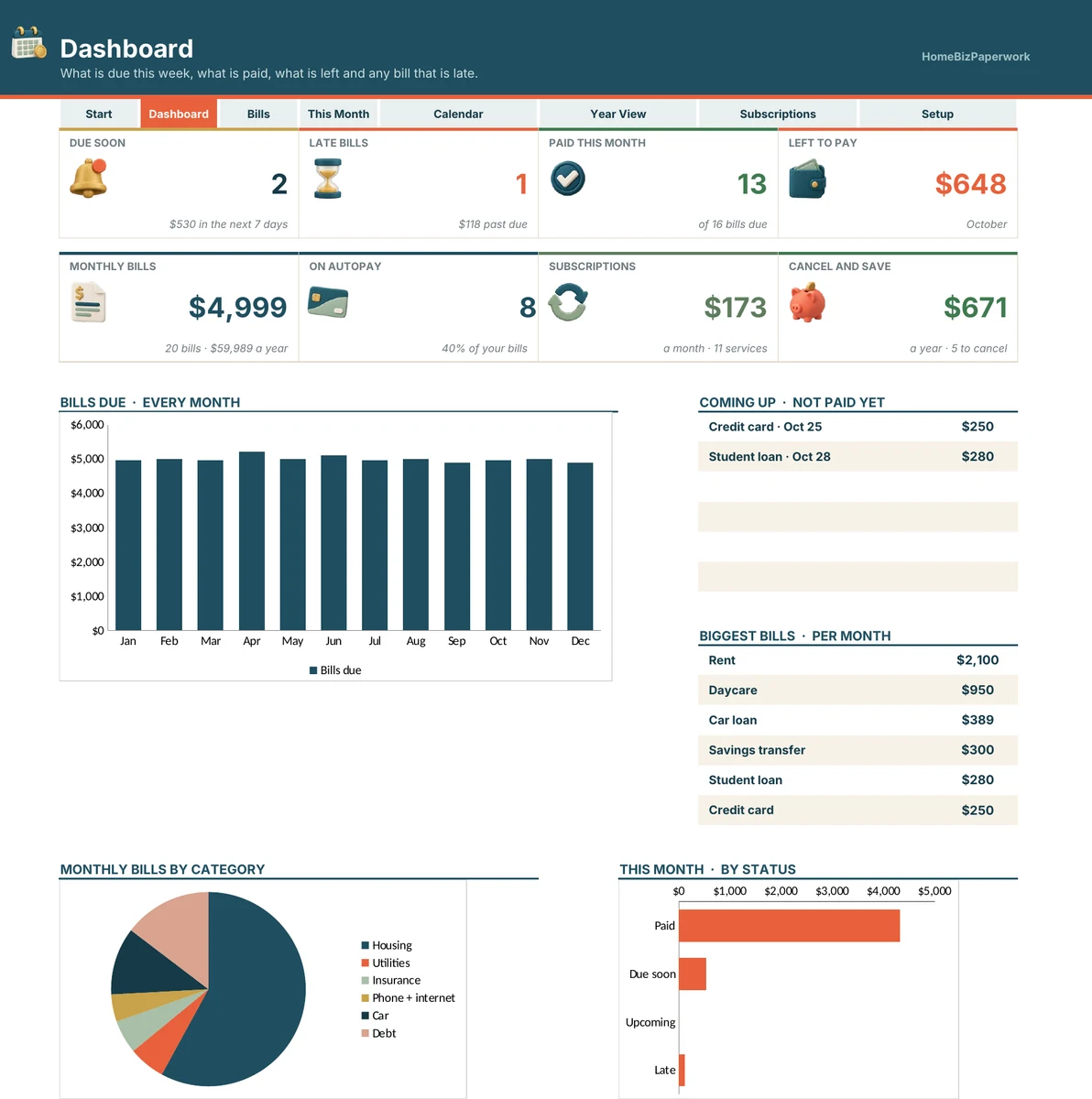
- Dashboard: due soon, late bills, paid this month, left to pay, monthly bills, autopay, subscriptions, cancel and save, charts
- Bills: bills with category, due day, amount, monthly, quarterly or yearly, autopay and account
- This Month: every bill due this month with paid, paid on, status (paid, due soon, late) and left to pay
- Calendar: your bills on a month grid, colored paid, due soon and late
- Year View: every bill, every month of the year, with monthly and yearly totals
- Subscriptions: every subscription with price, renewal date, last used and cancel candidates
- Setup: year, due-soon days, bill categories, accounts and subscription types
Real screens. Clearer decisions.
Explore the supplied product previews. Example data illustrates the layout; your own entries will be different. Select an image to view it at full size.
Dashboard
Dashboard: due soon, late bills, paid this month, left to pay, monthly bills, autopay, subscriptions, cancel and save, charts
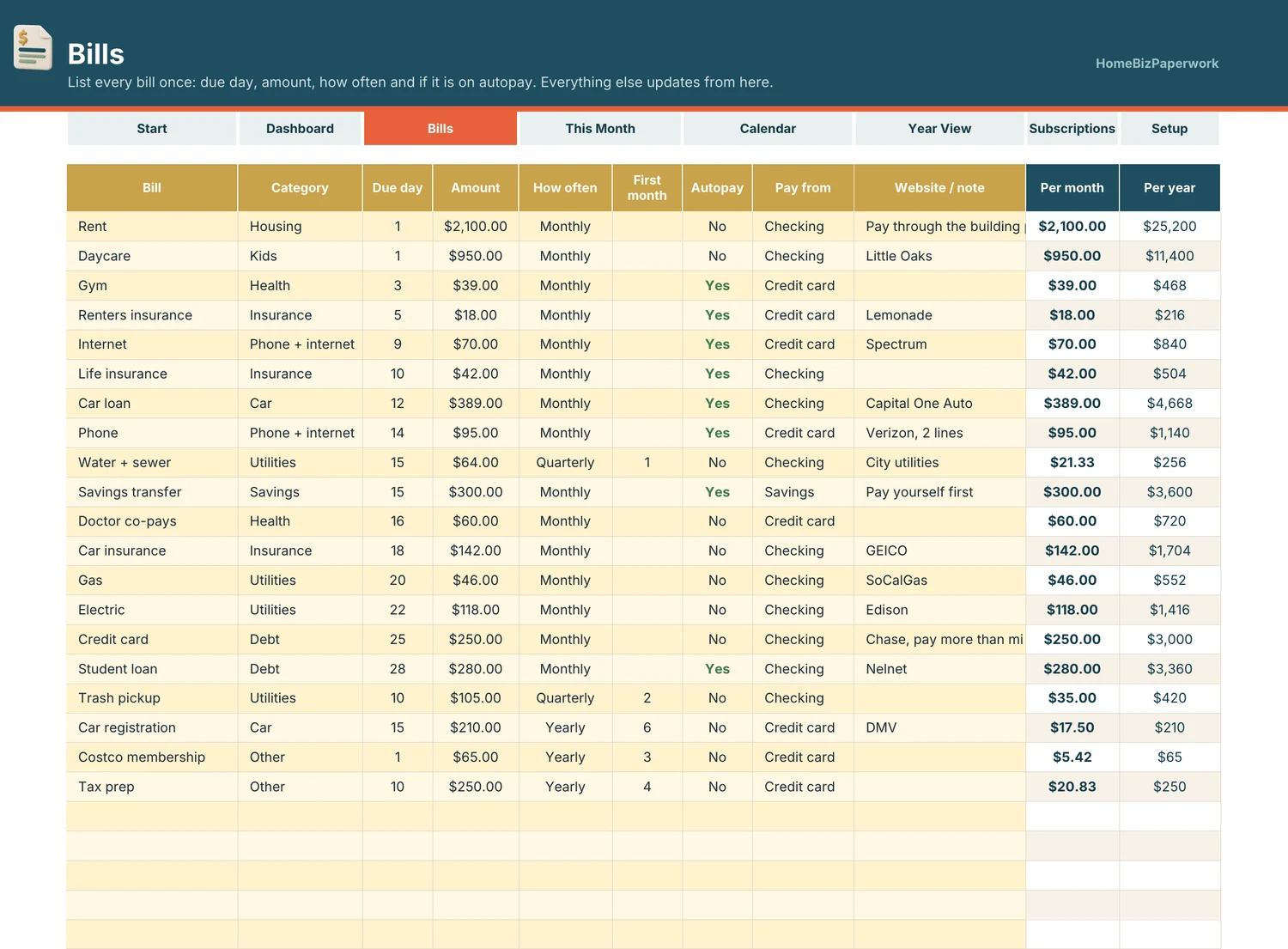
Bills
Bills: bills with category, due day, amount, monthly, quarterly or yearly, autopay and account
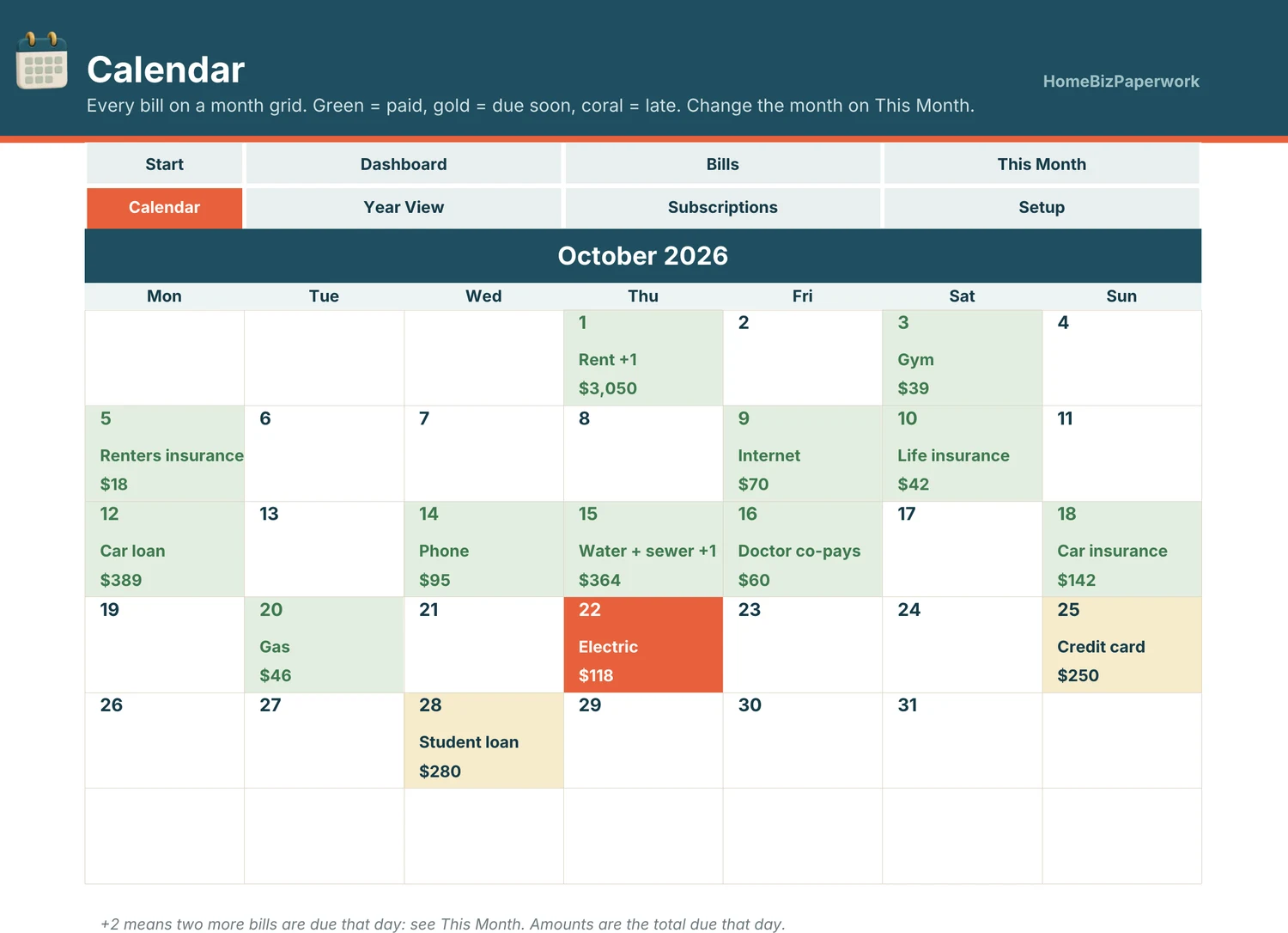
Calendar
Calendar: your bills on a month grid, colored paid, due soon and late
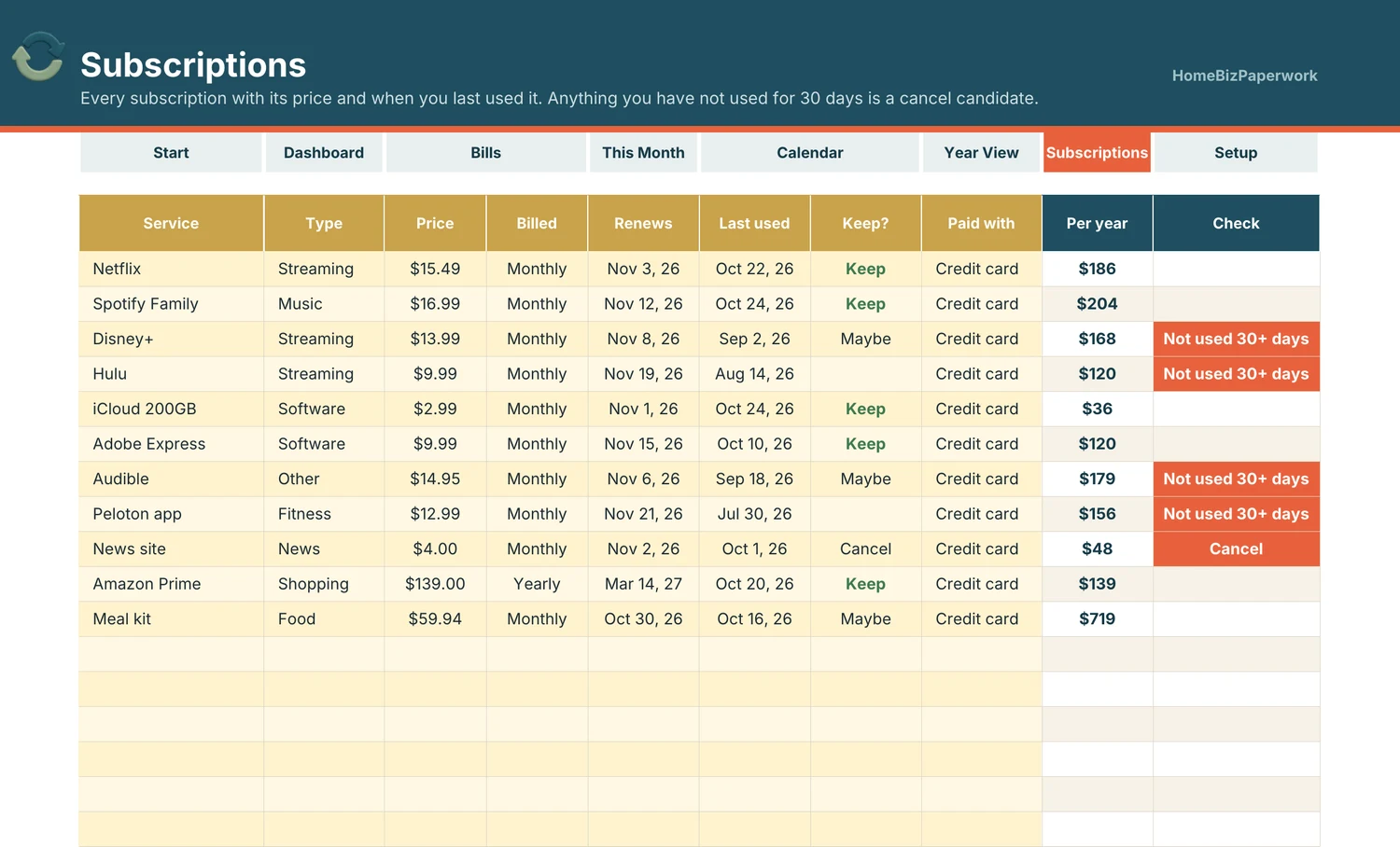
Subscriptions
Subscriptions: every subscription with price, renewal date, last used and cancel candidates
A walkthrough from Albina.
Bill Tracker Spreadsheet Tutorial: Bill Calendar, Due Dates & Subscriptions (Google Sheets & Excel)
Loads YouTube when you press play. Watch on YouTube
Before you make it yours.
A simple way to get started
- Review the screenshots and included tools to check the template fits your workflow.
- Open the matching Etsy listing to confirm the current version, compatibility and what is included.
- After purchase, follow the supplied setup instructions. Start with a small set of your own records and review the results.
Good to know
- Works for any year: change the year on Setup.
- Check the Etsy listing for included files and supported spreadsheet software before purchase. Enter your own information and review calculated results before relying on them.