 HomeBiz
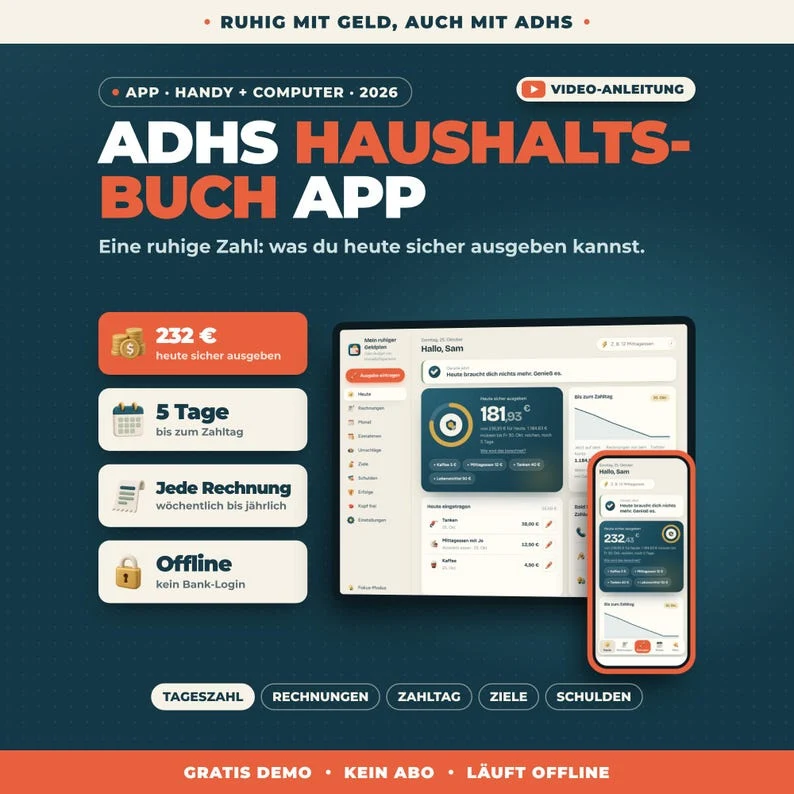 ACTUAL PRODUCT PREVIEW
Calm Budget — German Edition
A daily budget app with a German interface and German number and date formatting.
Secure purchase through Etsy. Check the listing for current availability, included files and purchase instructions.
Take a closer look ↓What can Calm Budget — German Edition help you do?
Calm Budget — German Edition is for people who prefer to organise their money in German. Enter your balance, bills and payday to see a daily spending estimate. Add expenses as you go and review bills, goals and debt plans in the same app. The interface can switch between German and English. Your figures stay on your device; there is no bank connection.
Who is it for?
Designed for German-speaking people who want a daily budget overview. Use the preview to check whether the screens and level of detail fit the way you prefer to work.
What's inside.
- Today: daily spending estimate and the path to payday
- Bills: due dates, payment status and recurring bills
- Month: bills and paydays in a calendar
- Income: regular and irregular pay schedules
- Envelopes: spending categories with limits
- Goals: savings progress
- Debts: balances, minimum payments and repayment methods
- Settings: German and English language options, number formatting, dark mode and backup
Real screens. Clearer decisions.
Explore the supplied product previews. Example data illustrates the layout; your own entries will be different. Select an image to view it at full size.
German budget overview
German budget overview in Calm Budget — German Edition. This product image shows the layout and example information supplied with the product.
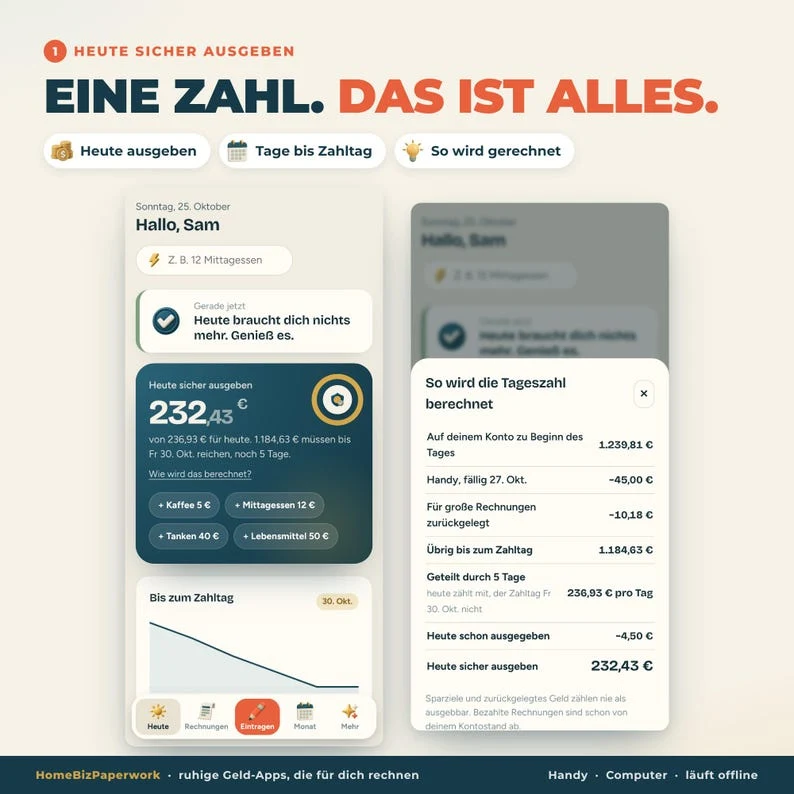
Daily budget
Daily budget in Calm Budget — German Edition. This product image shows the layout and example information supplied with the product.
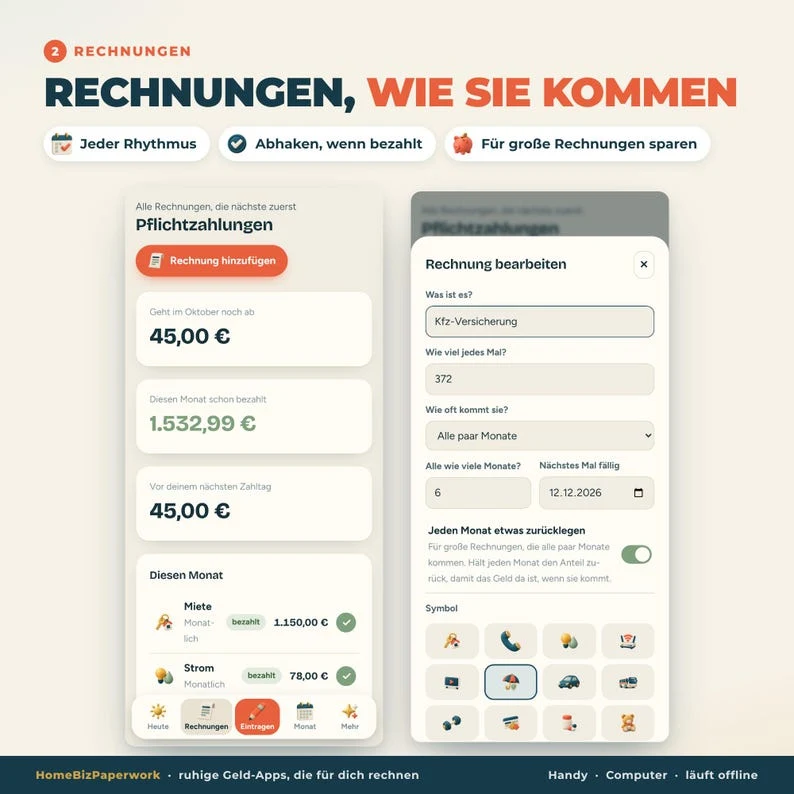
Bills
Bills: due dates, payment status and recurring bills
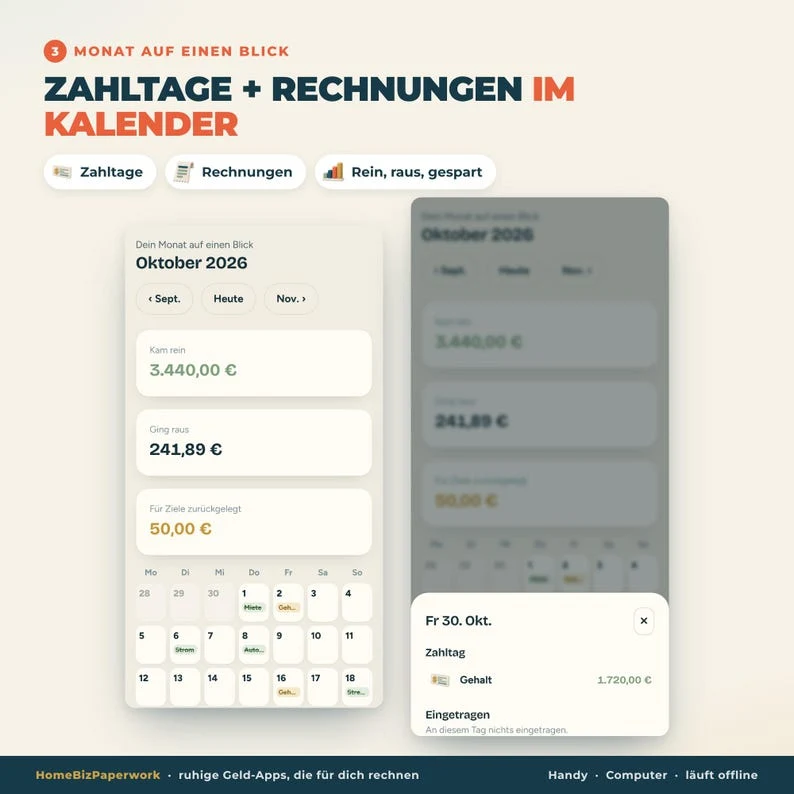
Budget details
Budget details in Calm Budget — German Edition. This product image shows the layout and example information supplied with the product.
A walkthrough from Albina.
ADHS Haushaltsbuch App Tutorial: Budget ohne Excel planen (Handy & Computer)
Loads YouTube when you press play. Watch on YouTube
Before you make it yours.
A simple way to get started
- Try the free demo and explore the screens you will use most.
- Open the matching Etsy listing to confirm the current version, compatibility and what is included.
- After purchase, follow the supplied setup instructions. Start with a small set of your own records and review the results.
Good to know
- The numbers are planning estimates, not financial advice.
- No bank connection: enter and update your figures yourself.
- Clearing browser data may erase entries. Keep a backup.
- Keep a backup of your entries before clearing browser data or changing devices. The demo and purchased app are separate; review the purchase instructions before entering your own information.